10 Free Online Scientific Calculators That Need No Download
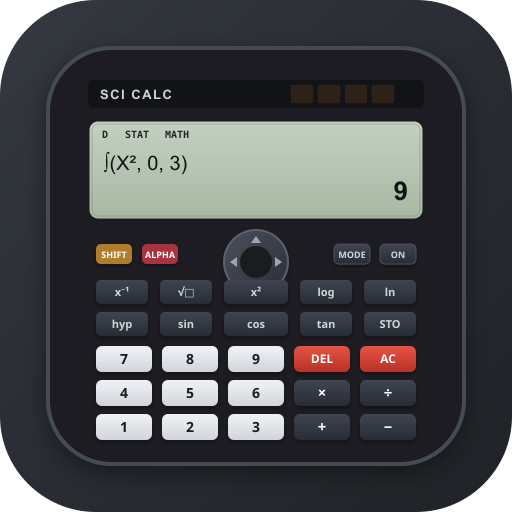
A scientific calculator is useful for solving mathematical problems that require more than basic addition, subtraction, multiplication, and division. Students, teachers, engineers, researchers, and other professionals often use scientific calculators to work with trigonometry, logarithms, exponents, fractions, and other advanced mathematical functions.
Fortunately, you do not need to buy a physical calculator or install an application to access these features. Several free online scientific calculators work directly in your web browser. You can use them on a computer, tablet, or smartphone with an internet connection.
The best free online scientific calculators offer essential mathematical functions, clear displays, and easy to use controls. Some also support graphing, equation solving, statistical calculations, and more advanced mathematical operations.
In this article, we explore 10 free online scientific calculators that need no download. We explain their main features, what they are best suited for, and how to choose the right tool for your mathematical needs.
What Is an Online Scientific Calculator?
An online scientific calculator is a web based tool that performs mathematical calculations beyond the capabilities of a standard calculator. You access it through a web browser instead of installing software on your device.
Most scientific calculators support functions such as square roots, powers, trigonometric calculations, logarithms, and scientific notation. More advanced options may include complex numbers, matrices, graphing, and statistical analysis.
These tools are useful for high school mathematics, university courses, physics, chemistry, engineering, and everyday technical calculations.
A major advantage is convenience. You can open a calculator whenever you need one without carrying a physical device. However, some websites may require an internet connection to load or use their calculators.
10 Best Free Online Scientific Calculators
The following tools provide different combinations of scientific functions, graphing features, and mathematical assistance. Their capabilities vary, so choose one that matches the type of calculations you need to perform.
1. Desmos Scientific Calculator
The Desmos Scientific Calculator is a browser based tool designed for students and anyone who needs to perform scientific calculations. Its interface presents mathematical expressions clearly, making it easier to enter and review calculations.
It supports common scientific functions, including trigonometry, logarithms, exponents, roots, and fractions. Users can also work with mathematical expressions without relying entirely on traditional calculator notation.
Desmos is particularly useful for students studying algebra, geometry, trigonometry, and other mathematics subjects. Its familiar interface makes it accessible to beginners while still providing functions needed for more advanced work.
Another advantage is that Desmos offers graphing tools separately. This allows students to explore mathematical relationships visually when a basic numerical answer is not enough.
Best for: Students, teachers, and users who want an accessible scientific calculator for everyday mathematics.
2. GeoGebra Scientific Calculator
GeoGebra provides a free scientific calculator that runs in a web browser. It supports common mathematical operations and provides a straightforward way to evaluate expressions without installing additional software.
Users can calculate powers, roots, trigonometric values, logarithms, and other scientific functions. GeoGebra also offers a wider collection of mathematics tools, including graphing calculators and geometry applications.
This makes it useful for students who need more than a simple calculation tool. For example, someone studying functions can use the scientific calculator for numerical work and explore the corresponding graphs with GeoGebra’s other features.
The platform is suitable for classroom activities, homework, and independent study. Its broader collection of mathematical resources is especially helpful when learning involves several related topics.
Best for: Students and educators who want scientific calculations alongside graphing and geometry tools.
3. Calculator.net Scientific Calculator
Calculator.net offers an online scientific calculator with an interface designed for entering mathematical expressions and calculating results.
It includes standard scientific functions such as trigonometry, logarithms, powers, roots, and parentheses. These features make it suitable for calculations commonly encountered in algebra, physics, chemistry, and engineering.
The calculator is useful when you need to evaluate an expression quickly without opening a more complex mathematics application. Its calculator style interface also feels familiar to people who regularly use handheld scientific calculators.
Users should pay attention to angle settings when performing trigonometric calculations. Choosing degrees instead of radians, or the reverse, can produce different results even when the expression appears correct.
Best for: Everyday scientific calculations, homework, and general mathematical problem solving.
4. RapidTables Scientific Calculator
RapidTables provides an online scientific calculator for common mathematical operations. It is designed for people who want to enter expressions and obtain numerical results through a browser.
The calculator supports functions such as square roots, powers, logarithms, and trigonometric calculations. These features cover many of the operations required in school mathematics and introductory science courses.
RapidTables also provides other mathematical reference tools. This can be helpful when a calculation requires a related conversion or when you need to check a mathematical concept.
Its relatively straightforward approach makes it suitable for quick calculations rather than complicated mathematical projects that require extensive graphing or symbolic analysis.
Best for: Quick scientific calculations and students who prefer a simple calculator interface.
5. Mathway Scientific Calculator
Mathway is an online mathematics platform that helps users work through a variety of mathematical problems. Depending on the problem and available features, it can provide calculated answers and additional mathematical assistance.
Its supported subject areas include algebra, trigonometry, calculus, and other branches of mathematics. This makes it useful when a problem involves more than a single numerical operation.
For example, a student working on an algebra assignment may need to simplify an expression before evaluating it. A mathematics platform such as Mathway can help with these broader tasks.
However, not every feature is necessarily available for free. Some detailed explanations or advanced capabilities may require a paid subscription.
Best for: Students who need help with different types of mathematics problems in addition to numerical calculations.
6. Symbolab Scientific Calculator
Symbolab provides online mathematical tools that support scientific calculations and more advanced problem solving. It is particularly relevant to users studying algebra, trigonometry, calculus, and related subjects.
Its mathematical capabilities extend beyond basic arithmetic. Depending on the tool being used, users can evaluate expressions, explore equations, and work with different mathematical operations.
Symbolab can be helpful when you want to understand how a calculation relates to a larger mathematical problem. For instance, a student can use its mathematics tools when studying equations, functions, or derivatives.
Some step by step explanations and advanced features may require a paid plan. Users should check which functions are available without a subscription before relying on the platform for a particular task.
Best for: Students who want scientific calculations and additional support with algebra, trigonometry, and calculus.
7. Omni Calculator
Omni Calculator offers a large collection of online calculators for mathematics, science, engineering, finance, and everyday calculations.
Rather than focusing exclusively on a traditional scientific calculator, it provides specialized tools for specific problems. Depending on the calculator selected, you can calculate physical quantities, solve mathematical problems, or explore relationships between different variables.
Read also: Best Free AI Voice Generator Text to Speech Tools
This approach is useful when you know what you need to calculate but do not want to enter a long formula manually. A dedicated calculator can simplify the process by asking for the required values.
For example, a science student may need to calculate density, velocity, or another physical quantity. A specialized calculator can help organize the inputs and apply the appropriate formula.
However, Omni Calculator is not a complete replacement for a traditional scientific calculator when you need to enter many different expressions.
Best for: Students, teachers, and professionals who regularly perform specialized scientific or technical calculations.
8. WolframAlpha
WolframAlpha is a computational knowledge platform that can evaluate mathematical expressions and answer many technical questions.
Users can enter expressions involving powers, roots, logarithms, trigonometry, equations, and other mathematical operations. The platform can also handle more advanced subjects, including calculus, statistics, and linear algebra.
One useful feature is its ability to interpret mathematical questions written in a more natural format. This can make it easier to explore a problem when you are unsure how to enter it into a traditional calculator.
WolframAlpha is particularly valuable for complex problems that require more than a numerical answer. However, some detailed solution steps and advanced features may be restricted to paid users.
Best for: Advanced students, researchers, and users who need computational support for complex mathematics.
9. Online Calculator by Calculator Soup
Calculator Soup provides several online calculators for mathematical and everyday calculations. Its tools cover areas such as fractions, percentages, algebra, and other numerical problems.
Depending on the calculator selected, users can perform calculations that would otherwise require manual formula entry. This can help reduce input errors and make common mathematical tasks easier to manage.
Calculator Soup is especially useful for learners who need assistance with specific mathematical operations. For example, someone working with fractions can use a dedicated calculator instead of converting everything to decimals manually.
Its collection is more important than any single calculator interface. You should select the tool that matches your particular problem rather than assume every page provides all the functions of a full scientific calculator.
Best for: Students and general users who need accessible calculators for specific mathematical operations.
10. Calculator Online
Calculator Online is a general category of browser based calculator tools that provide scientific functions without requiring a software installation.
Depending on the specific website, a scientific calculator may include trigonometric operations, logarithms, exponentiation, square roots, parentheses, and memory functions.
These tools can be convenient when you need a calculator on a device that does not have a dedicated scientific calculator application. You can open the relevant webpage and enter your expression directly.
However, Calculator Online is also a name used by different calculator websites. Features, privacy practices, interface quality, and advertising can vary between providers.
Before using a particular website, check whether it supports the mathematical operations you need and whether its interface clearly displays the current angle mode and calculation results.
Best for: Users looking for a straightforward browser based scientific calculator for general mathematics.
How to Choose the Best Online Scientific Calculator
The right calculator depends on your mathematical requirements. A student solving basic trigonometry problems may need only a standard scientific calculator, while an engineering student may require graphing or advanced equation solving.
Check the available functions. Make sure the calculator supports the operations you use regularly. These may include powers, roots, logarithms, trigonometry, fractions, and scientific notation.
Consider the interface. A clear display and well organized buttons can reduce input errors. If you use a smartphone, choose a calculator that works comfortably on a smaller screen.
Look for graphing support. Graphing tools are useful when studying functions, equations, and mathematical relationships. Desmos and GeoGebra are particularly relevant options for this purpose.
Check free access. Some platforms offer basic calculations without payment but restrict detailed explanations or advanced functions. Review the available features before choosing a tool for regular use.
Verify important results. Scientific calculators can produce incorrect results when you enter an expression incorrectly or select the wrong angle mode. For important work, check your formula, units, and settings.
Benefits of Using Scientific Calculators Online
Online scientific calculators provide several practical benefits.
First, they eliminate the need to install dedicated calculator software. This is useful when working on shared computers or devices with limited storage.
Second, they offer access to scientific functions through a familiar browser. Many work on smartphones and tablets as well as desktop computers.
Third, some platforms provide additional features such as graphing, equation solving, and specialized scientific calculations. These features can support learning and make complicated problems easier to explore.
However, browser based calculators are not always available offline. Some may also display advertisements or require payment for advanced features. Users should choose a reliable tool and verify important results independently.
Frequently Asked Questions
1. What is the best free online scientific calculator?
The best option depends on your needs. Desmos and GeoGebra are useful for students, while WolframAlpha is suitable for more advanced mathematical problems. Calculator.net is another option for everyday scientific calculations.
2. Can I use an online scientific calculator without downloading anything?
Yes. Most browser based scientific calculators work without downloading or installing an application. Open the calculator website in a compatible browser and enter your calculations.
3. Do online scientific calculators work on smartphones?
Yes. Many online scientific calculators work on smartphones and tablets. However, the interface may vary between devices, so choose one with buttons and displays that are easy to use on a small screen.
4. Can online scientific calculators solve trigonometry problems?
Yes. Many scientific calculators support sine, cosine, tangent, and their inverse functions. Some also let you switch between degrees and radians, which is important when solving trigonometry problems.
5. Are free online scientific calculators accurate?
They can provide accurate results when you enter the correct expression and use the appropriate settings. Always check angle modes, units, parentheses, and other inputs to avoid mistakes.
6. Can I use an online scientific calculator without an internet connection?
Usually, you need an internet connection to open a calculator website. Some tools may continue working after loading, but offline access is not guaranteed. A dedicated calculator application or physical calculator may be more suitable when you regularly work without internet access.
Conclusion
Free online scientific calculators make advanced mathematical operations accessible without requiring a dedicated device or software installation. They can help with school assignments, scientific calculations, engineering problems, and everyday mathematical tasks.
For straightforward calculations, Calculator.net and RapidTables are worth considering. Students who need graphing features may prefer Desmos or GeoGebra, while WolframAlpha and Symbolab can help with more advanced mathematical problems.
Before choosing a calculator, compare its functions, ease of use, and free features. Selecting a tool that matches your needs will make calculations more convenient and help you work through mathematical problems with greater confidence.