Best Free Time Zone Meeting Planners for Remote Teams
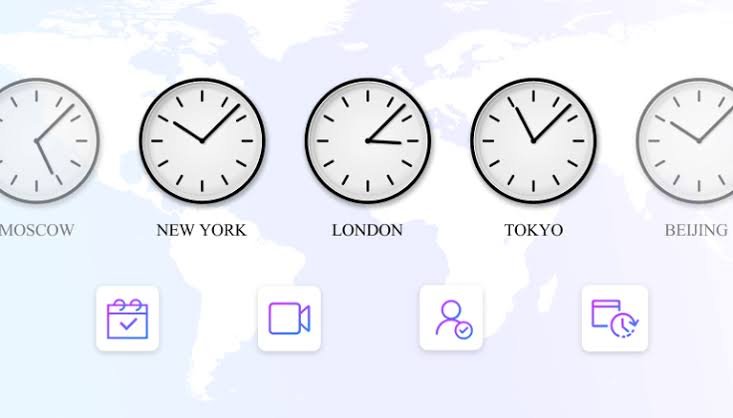
Scheduling meetings across different time zones can be challenging for remote teams. A time that works well for one person may fall outside another person’s working hours. This can lead to missed meetings, scheduling conflicts, and delays in team communication.
Free time zone meeting planners help remote teams compare local times, find suitable meeting slots, and coordinate schedules across different countries. Some tools also offer calendar integration, meeting polls, and automatic time conversions.
Whether you manage a distributed team, work with international clients, or collaborate with colleagues in different regions, the right meeting planner can simplify scheduling.
In this guide, we explore the best free time zone meeting planners for remote teams, explain their main features, and help you choose the right option for your needs.
What Is a Time Zone Meeting Planner?
A time zone meeting planner is an online tool that helps people schedule meetings across different time zones. Instead of manually calculating the time difference between countries, users can compare local times and identify a suitable meeting time.
For example, a company with team members in Nigeria, the United Kingdom, and the United States may need to find a time that works for everyone. A meeting planner can display the corresponding local times, making it easier to coordinate schedules.
Depending on the tool, users may also be able to share meeting suggestions, check availability, connect calendars, and organize meetings without sending multiple messages.
These tools are particularly useful for remote teams, international businesses, freelancers, consultants, and distributed project groups.
1. World Time Buddy
World Time Buddy is a popular time zone converter that helps users compare local times in different locations. It is useful for remote teams that regularly communicate across countries.
The tool displays multiple time zones in a visual format, allowing users to identify overlapping working hours. You can select locations, compare their local times, and find a period that is convenient for a group meeting.
World Time Buddy is particularly helpful when team members work in regions with significant time differences. Instead of calculating the time manually, you can view the relevant hours together.
Its free features make it a practical option for individuals and small teams that need a straightforward scheduling solution.
Best for: Comparing working hours across several countries.
Key features: Multiple time zone comparisons, visual time conversion, location selection, and meeting time identification.
2. Every Time Zone
Every Time Zone provides a simple visual interface for comparing time across different locations. It is designed to help users understand how the current time in one region relates to the time in another.
Remote teams can use the tool to identify potential meeting windows without performing manual calculations. Its timeline format makes it easier to see when people in different locations are likely to be available.
For example, a team leader can compare the working hours of colleagues in Europe, Africa, Asia, and North America to find a reasonable meeting time.
The tool is especially useful for quick scheduling decisions. However, teams that need advanced calendar management or automated meeting coordination may require additional software.
Best for: Quick visual comparisons of international working hours.
Key features: Visual time zone display, time conversion, and comparison of local hours.
3. Timeanddate Meeting Planner
Timeanddate offers a meeting planner that helps users find suitable times for meetings involving participants in different locations.
Users can select locations and dates to compare local times. This is useful when planning meetings that involve several countries or when coordinating an event that must take place at a specific time.
The tool can help remote teams avoid common scheduling mistakes, such as confusing morning and evening hours or overlooking differences caused by daylight saving time.
It is also useful for businesses that schedule occasional international meetings rather than managing a permanently distributed team.
The interface focuses on practical time conversion and scheduling information, making it suitable for users who want to plan meetings without adopting a complicated project management platform.
Best for: Planning international meetings with participants in several locations.
Key features: Location based time comparisons, date selection, and meeting time planning.
4. Google Calendar
Google Calendar is a calendar management tool that helps remote teams schedule meetings, manage appointments, and coordinate availability.
Users can create events, invite participants, and view meeting details in their calendars. Calendar settings also support additional time zones, which can help people who regularly work with colleagues in other countries.
For teams that already use Google Workspace or personal Google accounts, this can be a convenient way to combine time zone awareness with everyday scheduling.
Google Calendar is not exclusively a time zone meeting planner. However, its event creation and invitation features make it useful for turning a proposed meeting time into an organized calendar event.
Some collaboration and administrative features depend on the account type and organizational settings.
Best for: Teams that want meeting scheduling and calendar management in one place.
Key features: Calendar invitations, event reminders, time zone settings, and calendar sharing.
5. Doodle
Doodle helps groups find suitable meeting times through scheduling polls. Instead of asking every participant to suggest a time individually, an organizer can propose several options and allow participants to indicate their availability.
This approach works well for remote teams with members in different countries. Once the organizer establishes appropriate time options, participants can select the times that suit them.
Doodle is useful when a team needs to agree on a meeting time but does not have access to everyone’s calendar.
It can also help with recurring team discussions, client meetings, interviews, and collaborative planning sessions.
Doodle offers a free option, although certain features and usage limits may depend on the current plan.
Best for: Finding a meeting time that works for a group.
Key features: Scheduling polls, participant availability, meeting coordination, and scheduling options.
6. Calendly
Calendly is a scheduling platform that allows users to share booking availability with colleagues, clients, and other participants.
A user can define available time slots and share a scheduling page. Visitors can then select a suitable appointment time without needing to exchange multiple messages.
Calendly supports time zone handling, which is valuable when a remote team works with international clients or partners. Participants can generally view available appointments in their own local time.
The platform is particularly useful for sales calls, recruitment interviews, consultations, and one to one meetings.
Calendly provides a free plan, but the available features and number of event types may be limited. Teams that require advanced scheduling workflows may need a paid subscription.
Best for: Booking meetings with international clients and colleagues.
Key features: Scheduling pages, automatic time zone handling, availability settings, and calendar integrations.
7. SavvyCal
SavvyCal is a scheduling tool designed to make finding suitable meeting times easier for organizers and invitees.
It allows users to share scheduling links and present available meeting times to other people. Invitees can review the proposed options and choose a convenient slot.
Read also: Best AI Tools for Writing Blog Posts Without Plagiarism
This approach can reduce the back and forth communication that often occurs when remote teams try to coordinate meetings manually.
SavvyCal is especially relevant for professionals who frequently schedule meetings with people outside their organizations, including consultants, business owners, and client facing teams.
Its available features and free access options should be checked before choosing it for regular team use, since plan availability and limitations can change.
Best for: Professionals who frequently arrange meetings with external participants.
Key features: Scheduling links, meeting availability, calendar connections, and time zone support.
8. WorldTimeServer
WorldTimeServer provides time information for locations around the world. It can help users check local times and understand differences between countries before arranging a meeting.
For remote teams, this information is useful when scheduling a call with someone whose local time is unfamiliar.
Although it is not as focused on group scheduling as dedicated meeting planners, it can serve as a simple reference tool when users need to verify local times.
For example, a project manager can check the local time in another country before proposing a meeting to a client or colleague.
Teams that need automatic availability matching or calendar integrations may find a more specialized scheduling tool useful.
Best for: Checking local times before scheduling international meetings.
Key features: World clock information, local time checks, and time zone references.
9. Time.is
Time.is is a time checking website that displays the current local time for locations around the world.
It is useful for remote workers who need to verify the time in another country before contacting a colleague or arranging a meeting.
Accurate time information can help prevent mistakes when team members operate across several regions. However, Time.is is primarily a time reference tool rather than a full meeting scheduling platform.
Users may need to combine it with a calendar or scheduling poll to coordinate availability across a larger team.
For individuals who only need to check the time in a specific location, its straightforward approach can be sufficient.
Best for: Verifying the current local time in another country.
Key features: Current local time, location based time information, and time comparison.
10. World Clock by timeanddate
The World Clock from timeanddate helps users check the current time in cities around the world.
Remote teams can use it to confirm local times before sending invitations or arranging international calls. It is particularly useful when employees regularly communicate with colleagues in several regions.
For example, a team member in Nigeria can check the current time in London or New York before proposing a meeting.
Unlike dedicated group scheduling platforms, a world clock does not necessarily determine when all participants are available. It is better suited to checking local times and supporting basic scheduling decisions.
The tool can complement a calendar application or meeting poll when teams need a more complete scheduling process.
Best for: Checking local times in multiple cities.
Key features: World clock, city based time information, and local time comparisons.
How to Choose the Best Free Time Zone Meeting Planner
The best time zone meeting planner depends on how your team works and how often you schedule international meetings.
If you mainly need to compare working hours, World Time Buddy and Every Time Zone are useful starting points. Their visual displays make it easier to identify overlapping hours.
If you need to coordinate several participants, Doodle can help you collect availability through scheduling polls.
For teams that already manage appointments through a digital calendar, Google Calendar offers a practical way to organize events and send invitations.
Calendly and SavvyCal are worth considering if you frequently schedule meetings with clients, partners, or people outside your organization.
You should also consider the following factors before choosing a tool.
Time zone accuracy: The tool should account for regional time differences and daylight saving time where applicable.
Ease of use: Team members should be able to understand proposed meeting times without complicated calculations.
Calendar integration: Calendar connections can reduce duplicate work and make scheduling more convenient.
Group availability: If several people must attend, look for tools that help identify a time that works for everyone.
Free plan limitations: Check whether the free version supports the number of participants, scheduling links, calendar connections, or meetings your team requires.
Tips for Scheduling Meetings Across Time Zones
Even with a good meeting planner, remote teams should follow a few simple practices to make scheduling easier.
First, agree on a standard way to communicate meeting times. Including a time zone abbreviation or a clearly identified city can prevent confusion.
Second, avoid scheduling every meeting around the convenience of one location. Rotating meeting times can distribute the inconvenience more fairly among team members.
Third, consider local working hours before sending invitations. A meeting that takes place during the afternoon in one country might occur late at night elsewhere.
Fourth, use calendar invitations whenever possible. These invitations help participants confirm the date, time, and meeting details.
Finally, review recurring meetings when daylight saving time changes. Countries do not always change their clocks on the same dates, and some do not observe daylight saving time at all.
These practices can help remote teams reduce scheduling conflicts and maintain better communication.
Frequently Asked Questions
1. What is the best free time zone meeting planner for remote teams?
World Time Buddy is a useful choice for comparing time zones visually. Doodle is better suited to collecting availability from groups, while Google Calendar is helpful for managing invitations and events.
2. Can I schedule international meetings for free?
Yes. Several tools offer free features for international scheduling, including World Time Buddy, Every Time Zone, Google Calendar, and Doodle. The available features may vary by platform and plan.
3. Which tool is best for comparing multiple time zones?
World Time Buddy and Every Time Zone are useful for comparing local times across several locations. Both can help users identify potential meeting windows.
4. Do time zone meeting planners account for daylight saving time?
Many established time zone tools account for daylight saving time automatically. However, users should verify the displayed times when scheduling meetings across countries with different clock change dates.
5. Can time zone meeting planners connect to Google Calendar?
Some scheduling tools, including Calendly, support Google Calendar integration. Google Calendar itself can manage invitations and display additional time zones through its settings.
6. How can remote teams avoid scheduling conflicts?
Remote teams can use a meeting planner to compare working hours, collect participant availability, and send calendar invitations. They should also consider local working hours and review recurring meetings when time zone rules change.