Best Free AI Voice Generator Text to Speech Tools
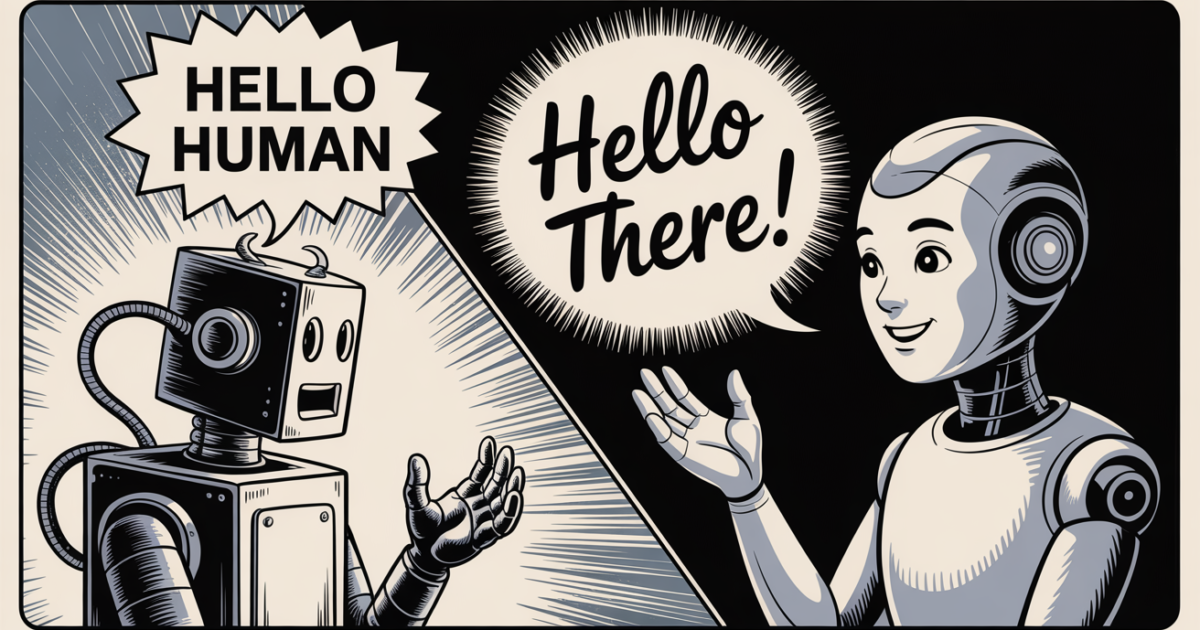
AI voice generators make it possible to turn written text into natural sounding speech in just a few steps. These tools use artificial intelligence to create voice recordings from scripts, articles, notes, and other written content. Many offer free plans that allow users to test different voices, create short audio clips, or produce voiceovers without purchasing expensive recording equipment.
The best free AI voice generator for text to speech depends on your needs. Some tools are suitable for YouTube videos and social media content, while others work well for reading documents, creating educational materials, or generating speech in different languages.
In this guide, you will discover some of the best free AI text to speech tools, their main features, their limitations, and how to choose the right option for your projects.
What Is an AI Voice Generator?
An AI voice generator is a software tool that converts written text into spoken audio. This process is known as text to speech, commonly abbreviated as TTS.
Traditional text to speech systems often produce robotic sounding voices. Modern AI voice generators use advanced speech models to create more natural pronunciation, rhythm, and intonation.
Depending on the tool, users may be able to select male or female voices, adjust speaking speed, choose different accents, or generate speech in multiple languages.
AI voice generators are useful for content creators, students, teachers, businesses, and people who prefer listening to written information instead of reading it.
Best Free AI Voice Generator Text to Speech Tools
Several AI voice generators offer free access, although their features, usage limits, and export options vary. The following tools are worth considering based on their general capabilities and common use cases. Free plan details may change over time.
1. ElevenLabs
ElevenLabs is a popular AI voice generation platform known for producing realistic speech. It offers text to speech features that can turn scripts and written content into expressive audio.
Users can explore different voices and generate speech for videos, presentations, storytelling, and other creative projects. Its voice technology can capture natural sounding speech patterns that make recordings easier to listen to.
The platform is particularly useful for creators who want realistic narration without recording their own voices.
Best for: YouTube narration, audiobooks, storytelling, and professional sounding voiceovers.
Free plan: A limited free allowance is available, subject to current account restrictions.
Limitation: Free usage is limited, and some advanced features require a paid subscription.
2. Google Text to Speech
Google offers text to speech technology through products and services such as Google Cloud Text to Speech and speech features available on supported Android devices.
Google Cloud Text to Speech provides a range of synthetic voices and language options. Developers can use its services to add spoken output to applications, websites, and other digital products.
For everyday users, built in text to speech features on compatible devices can also provide a convenient way to listen to written content.
Best for: Reading digital text, accessibility, multilingual applications, and software development.
Free plan: Some device features are available without a separate payment, while Google Cloud usage depends on its current pricing and free allowances.
Limitation: Generating downloadable audio through the cloud service may require account setup and technical configuration.
3. Microsoft Edge Read Aloud
Microsoft Edge includes a Read Aloud feature that reads webpages and supported documents using synthetic voices. It is useful for people who want to listen to articles without manually recording them.
Users can select available voices and adjust the reading speed. Depending on the content and device, they may also have access to natural sounding voice options.
Unlike dedicated voiceover platforms, Read Aloud focuses mainly on reading content aloud rather than creating finished audio files for video production.
Best for: Reading online articles, studying, reviewing documents, and improving accessibility.
Free plan: The built in feature is generally available without a separate subscription.
Limitation: It is primarily a reading tool and does not provide the same audio export workflow as dedicated voice generators.
4. NaturalReader
NaturalReader is a text to speech platform that converts written material into spoken audio. It supports different types of content, including documents and text entered directly into the platform.
It can be useful for students, professionals, and individuals who want to listen to study materials, reports, or longer passages.
Available voices and features depend on the product version and subscription plan.
Best for: Studying, proofreading, listening to documents, and personal reading.
Free plan: A free option is available, with restrictions that depend on the voices and features selected.
Limitation: Premium voices, extended usage, and certain audio download features may require payment.
5. TTSMaker
TTSMaker is an online text to speech tool that allows users to convert written text into audio through a browser. It is designed for straightforward voice generation without requiring advanced editing skills.
Users can select from available voices and languages, enter their scripts, and generate speech. Depending on the supported options, generated audio can be downloaded for use in other projects.
Its simple workflow makes it useful for people who want to create voiceovers without learning complex software.
Best for: Short videos, basic narration, educational content, and simple audio projects.
Free plan: Free text to speech generation is available within the service’s applicable usage limits.
Limitation: Voice quality, processing availability, and daily or per request limits may vary.
6. Canva AI Voice Tools
Canva provides video creation and design features that can support voiceover workflows. Depending on the available tools, account type, and integrations, users may be able to generate speech for videos or add voice content to presentations.
This can be convenient for people who want to combine narration with visual content in one editing environment.
Canva is especially useful when a project needs subtitles, images, transitions, and spoken audio rather than a standalone voice recording.
Best for: Social media videos, presentations, marketing content, and educational visuals.
Free plan: Canva offers a free plan, but access to specific AI voice features may depend on the tool or integration being used.
Limitation: Not every voice generation feature is included in the free plan.
7. CapCut Text to Speech
CapCut includes text to speech functionality in supported versions of its video editor. The feature converts written text into narration that can be added directly to a video timeline.
This makes it useful for short form videos, tutorials, product demonstrations, and social media posts.
Users can create captions or text elements, generate speech, and adjust the audio alongside video clips. Available voices and features can differ across devices and regions.
Best for: TikTok videos, YouTube Shorts, Reels, tutorials, and simple video narration.
Free plan: Core editing and text to speech options may be available for free, depending on the version and region.
Limitation: Some features, voices, and editing options may require payment or may not be available on every device.
How to Choose the Best Free AI Text to Speech Tool
The right tool depends on what you want to create. Before choosing a platform, consider the following factors.
Voice Quality
Voice quality is important when creating narration for videos, presentations, or educational content. Listen to a sample before generating a long recording.
Check whether the voice sounds natural, pronounces names correctly, and maintains a suitable speaking pace. Some tools handle conversational scripts better than others.
Language and Accent Support
If you create content for an international audience, look for a tool that supports your target language and preferred accent.
Do not assume that a platform supporting a language will provide every regional accent. Test a short passage to check pronunciation and clarity.
Free Usage Limits
Free AI voice generators may limit the number of characters, minutes, downloads, or generations available.
Review these restrictions before starting a large project. A tool that works well for a short introduction may not be suitable for producing several hours of narration.
Audio Download Options
If you need voiceovers for videos or podcasts, check whether the platform allows you to download the generated audio.
An in browser reading feature may be sufficient for personal use, but video production usually benefits from a tool that supports convenient audio export.
Commercial Usage Rights
Check the terms of service before using generated voices in monetized videos, advertisements, client projects, or business presentations.
Free access does not automatically mean that commercial use is permitted. Some platforms impose licensing restrictions on free accounts or specific voices.
How to Convert Text to Speech Using an AI Voice Generator
Most online AI voice generators follow a similar process.
First, choose a tool that supports your language and intended use. Create an account if the platform requires one.
Next, prepare your script. Use clear sentences, correct spelling, and punctuation to help the AI produce more natural speech. Break up long paragraphs where appropriate.
Select a voice that suits your content. For example, a calm voice may work well for educational narration, while a more expressive voice may suit storytelling.
Enter your text and generate the audio. Listen to the result and check for incorrect pronunciation, awkward pauses, or missing words.
Finally, download the recording if the platform supports audio exports. Add it to your video editor, presentation, or other project as needed.
For longer scripts, generate and review smaller sections first. This makes corrections easier and reduces the chance of having to regenerate an entire recording.
Benefits and Limitations of Free AI Voice Generators
Free AI voice generators make speech production more accessible. They can reduce recording time, support multiple languages, and help users create narration without microphones or soundproof recording spaces.
They are also useful for people who feel uncomfortable speaking on camera or want to produce content without revealing their own voice.
However, these tools are not perfect. Some voices may mispronounce technical terms, names, abbreviations, or regional expressions. Others may sound less natural when reading emotional dialogue or complex sentences.
Free plans can also restrict audio length, voice selection, processing speed, or commercial rights. Users should review these limitations before choosing a tool for ongoing work.
For the best results, treat AI generated speech as a recording that needs review. Listen to the complete output and correct errors before publishing it.
Frequently Asked Questions
1. What is the best free AI voice generator for text to speech?
The best option depends on your needs. ElevenLabs is worth considering for realistic narration, TTSMaker for straightforward online voice generation, and Microsoft Edge Read Aloud for listening to webpages and documents.
2. Can I convert text to speech for free without signing up?
Some tools allow limited text to speech generation without an account. Others require registration to access voices, save recordings, or manage usage limits. Check the current requirements of the platform you choose.
3. Which free AI voice generator sounds the most realistic?
ElevenLabs is known for realistic AI generated voices. However, results depend on the selected voice, language, script, and available free features. Testing the same passage across multiple tools can help you compare quality.
4. Can I use free AI generated voices for YouTube videos?
Yes, some tools permit this, but you should review their licensing terms first. Check whether the free plan allows commercial use, monetization, and publication of generated audio.
5. Can AI voice generators speak different languages?
Yes. Many AI text to speech tools support multiple languages and accents. The available choices and pronunciation quality vary by platform, so test your target language before producing a complete recording.
6. Can I download AI generated speech as an audio file?
Some tools allow users to download generated speech in formats such as MP3 or WAV. Others focus on reading text directly within a browser or application. Confirm the export options before selecting a tool for your project.
Conclusion
The best free AI voice generator for text to speech is the one that meets your requirements for voice quality, language support, audio downloads, and usage limits.
ElevenLabs is a strong option for realistic narration, TTSMaker is useful for simple online generation, Microsoft Edge Read Aloud works well for listening to written content, and CapCut can help video creators add narration to their projects.
Compare the available free features, test a short script, and review the licensing terms before publishing your audio. With the right tool, you can turn written content into clear speech for videos, learning materials, presentations, and other everyday projects.