10 Best Free SERP Checker Tools for Google Rankings
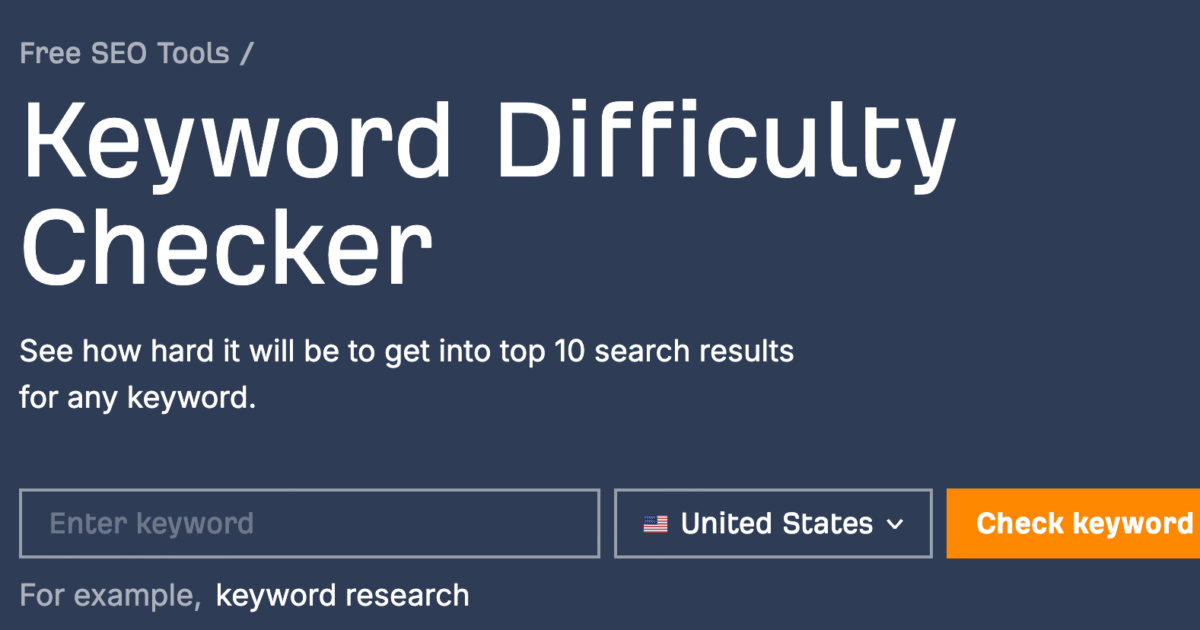
Checking Google rankings helps website owners understand how their pages perform in search results. A SERP checker tool makes this process easier by showing where a website appears for a specific keyword. It can also help users compare competitors, track ranking changes, and identify opportunities to improve search engine optimization.
However, not every SERP checker offers the same features. Some tools provide quick ranking checks, while others support location based searches, mobile rankings, competitor analysis, and keyword tracking. Many offer free access, although some limit the number of searches or keywords you can check.
In this guide, we explore the 10 best free SERP checker tools for Google rankings. You will learn what each tool does, its main features, its limitations, and how to choose the right option for your SEO needs.
What Is a SERP Checker Tool?
A SERP checker tool shows the search engine results page for a particular keyword. SERP stands for Search Engine Results Page, which is the page Google displays after someone enters a search query.
For example, if you want to know where your website ranks for the keyword “best running shoes,” a SERP checker can help you find its position in Google results.
Depending on the tool, you may also be able to check rankings for specific countries, cities, languages, and devices.
SERP checker tools are useful for bloggers, digital marketers, website owners, and SEO professionals. They help users measure keyword performance, monitor competitors, and make informed decisions about content optimization.
10 Best Free SERP Checker Tools for Google Rankings
1. Google Search Console
Google Search Console is one of the most useful free tools for understanding how a website performs in Google Search. It provides information directly from Google about your site’s search visibility.
The Performance report shows the search queries that generate impressions and clicks. You can also review average position, click through rate, and page performance.
These features help you identify keywords that already bring visitors to your website. You can then improve pages that receive impressions but have relatively few clicks.
Key features:
- Average keyword position in Google Search
- Search impressions and clicks
- Click through rate reporting
- Performance data for individual pages and queries
- Country and device filters
Limitations: You must verify ownership of your website to access its performance data. The average position metric is not a precise ranking for every search because results can vary by user, location, and search context.
Best for: Website owners who want reliable performance data for their own websites.
2. Ahrefs SERP Checker
Ahrefs SERP Checker helps users examine search results for specific keywords. It can show the pages ranking for a query and provide information that helps users evaluate competing websites.
The tool is useful when researching a keyword before creating content. By reviewing the current results, you can understand what types of pages Google ranks and how competitive a search term may be.
Ahrefs also offers a broader SEO platform with tools for keyword research, backlinks, and competitor analysis.
Key features:
- Google search result analysis
- Information about ranking pages
- Competitor research
- Support for evaluating keyword competition
Limitations: Free access is limited compared with the full Ahrefs platform. Advanced keyword research, extensive tracking, and other features may require a paid subscription.
Best for: Bloggers and SEO beginners who want to understand the competition for a keyword.
3. Semrush Position Tracking
Semrush is a well known SEO platform with tools for monitoring keyword positions and analyzing search visibility.
Its Position Tracking tool allows users to monitor selected keywords and review ranking changes over time. Depending on the plan and available access, users can configure tracking by location and device.
This makes Semrush useful for businesses that need more than a one time ranking check. Regular monitoring helps reveal whether SEO improvements are producing positive results.
Key features:
- Keyword position monitoring
- Competitor ranking comparisons
- Location specific tracking options
- Visibility and ranking reports
- Historical ranking analysis
Limitations: Position Tracking is a premium feature. Semrush provides limited free access to selected tools, but users may need a paid plan for ongoing tracking and larger keyword lists.
Best for: SEO professionals and businesses that want to monitor keyword performance over time.
4. SERanking
SERanking provides SEO tools for keyword tracking, website analysis, competitor research, and search performance monitoring.
Its keyword tracking features help users understand how their websites rank for selected search terms. Users can also evaluate competitors and monitor changes in search visibility.
Although SERanking is a paid SEO platform, it may offer trial access or limited free functionality depending on its current plans.
Key features:
- Keyword ranking monitoring
- Competitor analysis
- Search visibility reporting
- Location and device based tracking options
- SEO performance reports
Limitations: Long term tracking and advanced features generally require a subscription. Free access may be restricted by trial conditions or account limits.
Best for: Small businesses and marketers who need a structured approach to rank tracking.
5. WhatsMySerp
WhatsMySerp is a SERP checking tool designed to help users examine keyword positions in Google Search.
It can be useful for people who want to check rankings without using a large SEO platform. Depending on available functionality, users can enter a keyword and review the results for a selected location.
This simple approach makes the tool suitable for occasional checks and basic competitor research.
Key features:
- Google keyword position checks
- Location based search options
- Competitor ranking research
- Simple interface for quick checks
Limitations: Free usage may include daily search limits or restrictions on the number of keywords. Available features can also change over time.
Best for: Bloggers, freelancers, and website owners who need occasional ranking checks.
6. SEO Centro Rank Checker
SEO Centro provides SEO utilities that can help users investigate website performance and search engine visibility.
Its rank checking functionality is intended to help users understand where a website appears for a particular keyword. Such tools can be useful for basic SEO research without requiring a full subscription to a professional platform.
Before relying on a ranking report, check the available search engine settings and location options to understand what the results represent.
Key features:
- Basic keyword ranking checks
- Website position analysis
- Support for simple SEO research
- Quick checks without an extensive tracking setup
Limitations: Reporting depth and available features may be more limited than those of dedicated rank tracking platforms. Availability and functionality can change.
Best for: Beginners who want to explore basic keyword positions and learn how search results work.
7. Sitechecker Rank Tracker
Sitechecker offers SEO tools for website monitoring, technical audits, and keyword performance analysis.
Its rank tracking features help website owners follow the positions of selected keywords and understand changes in search visibility. These insights can support decisions about content updates and SEO improvements.
Read also: Best Paraphrasing Tool for Academic Writing Free Online
For example, if an important page loses positions for a target keyword, you can investigate whether the content needs updating or whether competing pages have become more relevant.
Key features:
- Keyword position monitoring
- Ranking change reports
- Website SEO analysis
- Competitor tracking options
- Search performance insights
Limitations: Full rank tracking functionality may require a paid plan. Free access can be limited by the number of keywords, projects, or available reports.
Best for: Website owners who want to combine ranking analysis with broader SEO monitoring.
8. SEO Review Tools Google Rank Checker
SEO Review Tools offers a collection of tools for analyzing websites and researching search performance.
Its Google Rank Checker is designed to help users check the position of a website for a particular keyword. Depending on the available settings, users may also be able to specify a location or other search parameters.
The tool is useful for quick checks when you do not need long term tracking or extensive reporting.
Key features:
- Google keyword position checks
- Website ranking analysis
- Simple search result investigation
- Basic SEO research capabilities
Limitations: Free checks may have usage restrictions. Results may also differ from what an individual sees when searching Google directly.
Best for: Beginners and freelancers who want a straightforward way to investigate keyword rankings.
9. SERPWatcher by Mangools
SERPWatcher is a keyword rank tracking tool from Mangools. It helps users monitor keyword positions and understand changes in search visibility.
The platform focuses on making rank tracking accessible through a relatively simple interface. Users can follow selected keywords and evaluate ranking performance over time.
Mangools also provides other SEO tools for keyword research, backlink analysis, and search result investigation.
Key features:
- Keyword position tracking
- Ranking history
- Search visibility metrics
- Performance monitoring
- Support for ongoing SEO analysis
Limitations: SERPWatcher is primarily a paid product, although trial access may be available. Continued monitoring and larger projects generally require a subscription.
Best for: Bloggers and small businesses that want to track keyword performance regularly.
10. Google Search in Incognito Mode
Google Search itself can be used for basic ranking checks without installing an additional tool.
Open an incognito or private browsing window, enter your target keyword, and look for your website in the results. This can provide a quick indication of where your page appears.
However, private browsing does not remove every factor that influences search results. Your location, language, device, and the type of search can still affect what Google displays.
Key features:
- Free manual ranking checks
- No additional SEO account required
- Direct access to live search results
- Useful for examining competing pages
- Helpful for understanding search intent
Limitations: Manual checks take time and are difficult to repeat consistently across many keywords. Results may also vary between searches, making precise rank tracking challenging.
Best for: Beginners who want to check a few keywords occasionally without using another platform.
How to Choose the Best Free SERP Checker Tool
The right tool depends on your website, your goals, and how frequently you need to check rankings.
If you own a website and want to understand its performance in Google Search, Google Search Console is an excellent starting point. It provides search impressions, clicks, average position, and query data without a subscription.
If you want to study competing pages before writing an article, Ahrefs SERP Checker can help you examine the search results for your target keyword.
For regular keyword monitoring, tools such as Semrush, SERanking, Sitechecker, and Mangools offer more structured tracking features. However, check their current free access conditions before choosing one.
You should also consider these factors:
Location accuracy: Choose a tool that supports the country or city where your audience searches.
Device settings: Mobile and desktop results may differ. Check both when device specific rankings matter.
Usage limits: Some free tools limit daily searches, tracked keywords, or report access.
Historical data: If you want to measure SEO progress, choose a tool that saves ranking history.
Ease of use: A simple tool may be sufficient if you only need to check a few keywords each month.
Tips for Checking Google Rankings Accurately
A ranking report is most useful when you understand how to interpret it.
First, check the same keyword using consistent location and device settings. Changing these settings can produce different results, making comparisons less meaningful.
Second, monitor rankings over time instead of relying on a single search. Google results can fluctuate because of competition, algorithm changes, and differences in search context.
Third, focus on keywords that match your business or content goals. A high ranking for an irrelevant keyword may not generate useful traffic.
Fourth, review clicks and impressions alongside ranking positions. A page can rank reasonably well but receive few clicks if its title does not match search intent or if other search features attract attention.
Finally, use ranking information to guide improvements. Update outdated content, improve page titles, answer user questions more clearly, and strengthen internal links where appropriate.
Frequently Asked Questions
1. What is the best free SERP checker tool?
Google Search Console is an excellent free option for checking your website’s search performance. It provides average keyword positions, clicks, impressions, and other useful data. For examining individual search results, Ahrefs SERP Checker is another option.
2. Can I check Google rankings for free?
Yes. You can use Google Search Console, free SERP checking tools, or manual Google searches. However, some tools limit the number of searches or reserve advanced features for paid plans.
3. Are free SERP checker tools accurate?
Free SERP checker tools can provide useful ranking information, but results may vary because of location, device, language, and search context. Google Search Console reports average positions rather than a fixed position for every search.
4. Can I check keyword rankings by country?
Yes. Some SERP checker tools allow you to select a country, city, or other location settings. Google Search Console also provides country filters for analyzing your website’s search performance.
5. How often should I check my Google rankings?
For most websites, checking rankings weekly is a reasonable starting point. Websites targeting competitive keywords may benefit from more frequent monitoring. Avoid making major SEO decisions based on small changes from a single day.
6. Do SERP checker tools help improve SEO?
SERP checker tools do not improve rankings directly. They help you identify ranking changes, understand competitors, and evaluate SEO performance. You can use these insights to improve content quality, search intent alignment, internal linking, and overall website optimization.