Best Paraphrasing Tool for Academic Writing Free Online
Students, researchers, teachers, and academic writers often need to express ideas clearly without changing their original meaning. A free online paraphrasing tool can help them rewrite sentences, improve readability, reduce unnecessary repetition, and find more suitable words for academic work. These tools are especially useful when preparing essays, research papers, assignments, literature reviews, and reports.
However, not every paraphrasing tool is suitable for academic writing. Some tools produce unnatural sentences, change important details, or remove technical terms. Others offer only a limited number of free words or require users to create an account before accessing essential features.
The best paraphrasing tool for academic writing should preserve meaning, improve sentence structure, support a formal writing style, and allow users to review the rewritten text before using it. It should also make responsible academic writing easier rather than encourage students to copy rewritten material without checking its accuracy.
This guide explains the best free online paraphrasing tools for academic writing, their main features, their limitations, and how to choose the right option for your needs.
What Is a Paraphrasing Tool?
A paraphrasing tool is an online writing assistant that rewrites existing text using different words, sentence structures, or expressions while attempting to preserve the original meaning.
For example, a student might write:
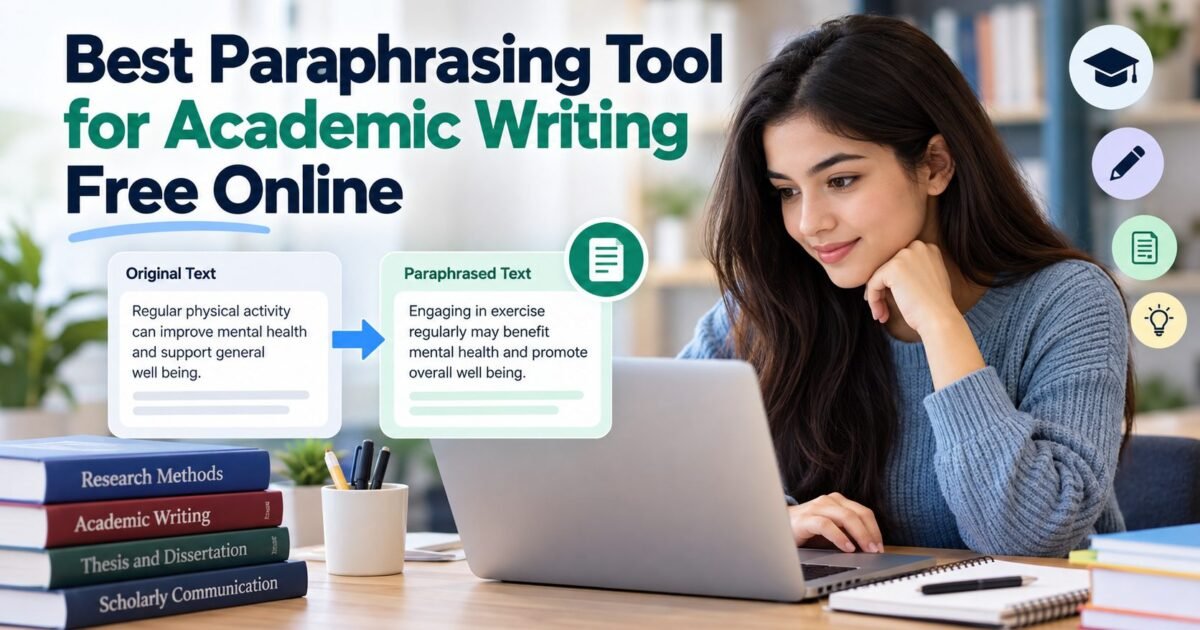
Original sentence: Regular physical activity can improve mental health and support general well being.
Paraphrased sentence: Engaging in exercise regularly may benefit mental health and promote overall well being.
Both sentences communicate a similar idea, but they use different expressions.
Modern paraphrasing tools may use artificial intelligence, natural language processing, and language models to understand the context of a sentence and generate an alternative version.
Some tools focus on replacing individual words with synonyms. Others rewrite entire sentences, adjust the tone, improve fluency, or simplify complicated passages.
For academic writing, context matters more than changing words. A good tool should preserve technical terminology, logical relationships, research findings, and the author’s intended message.
Why Do Students Need a Paraphrasing Tool?
Paraphrasing is an important academic skill. Students often read several sources before writing an assignment or research paper. They must then explain relevant information in their own words while acknowledging the original authors.
A paraphrasing tool can support this process in several ways.
Improving sentence clarity
Academic texts sometimes contain long sentences, repeated expressions, and complicated wording. A paraphrasing tool can suggest simpler sentence structures that make the main idea easier to understand.
Students can compare the suggested version with their original writing and decide which one communicates the idea more clearly.
Reducing unnecessary repetition
Writers may repeat the same words or phrases throughout an essay. A paraphrasing tool can offer alternative expressions and help improve the flow of a paragraph.
However, writers should retain important terms when those terms are necessary for accuracy.
Improving academic tone
Some students use informal expressions in formal assignments. A paraphrasing tool with a formal writing mode can suggest language that better suits essays, dissertations, research reports, and scholarly discussions.
The writer must still check whether the revised wording sounds natural and fits the subject.
Supporting language learners
Students who write in a second language may understand their research material but struggle to express their ideas naturally in English.
A paraphrasing tool can provide alternative sentence patterns and vocabulary. Reviewing these suggestions can also help students develop their academic writing skills.
Helping with lengthy drafts
Researchers and students often work with large amounts of information. A paraphrasing tool can help revise individual sentences and paragraphs more efficiently.
It should support the writing process rather than replace reading, critical thinking, or careful editing.
Best Free Online Paraphrasing Tools for Academic Writing
Several online tools offer paraphrasing features that students and researchers can use. Their free plans, word limits, writing modes, and available features may change over time.
The following options are worth considering based on their general functions and suitability for academic writing.
1. QuillBot
QuillBot is a widely known online writing tool that offers paraphrasing, grammar checking, summarization, and other writing assistance features.
Its paraphrasing function rewrites text while allowing users to review alternative wording. Different modes can help adjust how closely the output follows the original sentence.
Main features
QuillBot offers sentence rewriting, alternative vocabulary, and writing assistance. Depending on the current plan, users may have access to different paraphrasing modes and word limits.
Its interface is relatively straightforward, making it suitable for beginners who want to improve individual sentences or short passages.
Why it can help with academic writing
Students can use QuillBot to identify repetitive expressions, improve sentence flow, and explore different ways to communicate an idea. It can be useful when editing essays, preparing reports, or improving the readability of a research draft.
Limitations
The free version has restrictions that may affect users working with longer documents. Some rewritten sentences may also sound unnatural or alter the original meaning.
Researchers should carefully check technical terms, statistics, quotations, and claims before using any suggested text.
Best for: Students who want a straightforward paraphrasing tool for revising sentences and short passages.
2. Scribbr Paraphrasing Tool
Scribbr provides academic writing resources and writing assistance tools. Its paraphrasing tool is designed to help users express existing information differently while maintaining the intended meaning.
The tool is particularly relevant to students who want to improve the clarity of academic sentences.
Main features
Scribbr’s paraphrasing functionality focuses on rewriting text, improving wording, and offering alternative expressions. Its wider collection of academic resources also supports students who need guidance on writing and referencing.
Availability and usage limits depend on the specific feature and current service conditions.
Why it can help with academic writing
Academic writing requires more than replacing words with synonyms. Writers must communicate ideas precisely and maintain a suitable formal tone.
Scribbr can help users review sentence construction and identify possible improvements when editing assignments, essays, and research papers.
Limitations
The rewritten output still requires human review. The tool may not preserve every technical distinction or contextual detail, especially in specialized research.
Users should also distinguish paraphrasing assistance from plagiarism checking and citation support because these functions serve different purposes.
Best for: Students who want paraphrasing assistance alongside broader academic writing guidance.
3. Grammarly
Grammarly is primarily known for grammar, spelling, punctuation, clarity, and writing improvement. Its available AI writing features may also help users rewrite sentences and adjust tone.
Although it is not exclusively a paraphrasing tool, it can be useful when academic writers need to improve the quality of their drafts.
Main features
Grammarly offers writing suggestions for grammar, sentence clarity, conciseness, and tone. Depending on the plan and available features, users may also have access to AI assisted rewriting.
These features can help writers identify awkward expressions and improve readability.
Why it can help with academic writing
A paraphrased sentence may be grammatically correct but still sound unnatural. Grammarly can help identify language problems that basic synonym replacement might miss.
Students can use its writing suggestions when proofreading essays, revising paragraphs, and checking the clarity of academic explanations.
Limitations
Some advanced writing features may require a paid plan. Grammarly also does not guarantee that a rewritten passage is factually accurate or properly cited.
It should be treated as a writing assistant rather than a replacement for subject knowledge or academic judgment.
Best for: Students who want to improve grammar, clarity, and sentence quality while revising academic work.
4. Wordtune
Wordtune is a writing assistant that helps users rephrase sentences and explore alternative ways to express ideas.
Its rewriting features can be helpful when a sentence is understandable but does not communicate the intended message as clearly as the writer would like.
Main features
Wordtune offers sentence rewriting and wording suggestions. Depending on the available plan, it may support different writing styles and additional editing functions.
Its approach encourages users to compare alternatives rather than rely on a single rewritten version.
Why it can help with academic writing
Academic writers often need to make sentences more direct, concise, or formal. Wordtune can provide alternative sentence structures that help users identify a clearer way to express a point.
This can be useful when revising introductions, discussion sections, and explanatory paragraphs.
Limitations
Free access may include usage restrictions. Some suggestions may also introduce expressions that do not fit a specialist subject or the conventions of a particular discipline.
Users should review every suggestion to ensure that the rewritten sentence remains accurate.
Best for: Writers who want to improve sentence flow and explore different ways of expressing academic ideas.
5. Paraphraser.io
Paraphraser.io is an online paraphrasing service designed to rewrite text using alternative wording and sentence structures.
It is intended for users who want to revise existing content without manually rewriting every sentence.
Main features
The platform provides text paraphrasing and may offer different rewriting modes or additional writing utilities. Free access and available features can vary.
Users can enter text, generate a rewritten version, and review the result.
Why it can help with academic writing
Paraphraser.io may be useful for revising repetitive sentences, improving the variety of expressions, and exploring alternative wording for general academic content.
It can serve as a starting point for editing paragraphs that need clearer language.
Limitations
Automatic rewriting can change the emphasis of a sentence or replace an important term with an unsuitable alternative.
This is particularly important in scientific, medical, legal, and technical writing, where small changes in terminology may affect meaning.
Best for: Users who want a simple online tool for generating alternative sentence wording.
6. Editpad Paraphrasing Tool
Editpad offers several online writing utilities, including a paraphrasing tool intended to help users rewrite text.
Its web based interface makes it an option for students who prefer to work directly in a browser.
Main features
The tool accepts text for rewriting and generates an alternative version. Depending on current availability, users may also find related utilities for grammar, summarization, and other writing tasks.
Why it can help with academic writing
Editpad can help students explore different expressions, reduce repetitive wording, and revise general paragraphs during the editing stage.
Its straightforward process may suit users who need occasional paraphrasing assistance rather than a comprehensive writing platform.
Limitations
Free tools may impose restrictions on word counts, usage, or advanced features. The output may also need substantial editing when the subject contains specialized terminology or complex arguments.
Students should not assume that a rewritten passage is original in the academic sense simply because its wording has changed.
Best for: Beginners who want browser based paraphrasing for basic writing and editing tasks.
7. Ahrefs Paraphrasing Tool
Ahrefs is widely associated with search engine optimization tools, but it also provides free writing utilities, including a paraphrasing tool.
Although its broader services focus on online content and search visibility, the paraphrasing function may help users explore alternative wording.
Main features
The tool generates rewritten text from user supplied content. Its simple approach can make it useful for revising individual sentences and general paragraphs.
Availability and functionality should be checked directly in the tool because online services can change their features.
Why it can help with academic writing
Students can use a paraphrasing tool to test whether a sentence can be expressed more clearly or concisely. The resulting suggestions may provide a useful starting point for manual revision.
Limitations
A general purpose paraphrasing tool may not understand the precise requirements of a research discipline. It may also produce wording that is less suitable for scholarly writing.
Users must independently verify meaning, accuracy, citations, and academic integrity.
Best for: Users who want a simple rewriting option for general text and basic editing.
Which Paraphrasing Tool Is Best for Academic Writing?
The best choice depends on your writing needs, budget, subject area, and preferred editing process.
QuillBot is worth considering if you want a dedicated paraphrasing tool with several rewriting options. Scribbr is relevant if you also need academic writing guidance. Grammarly may be more suitable when grammar and clarity are your main concerns.
Wordtune can help when you want to compare alternative sentence structures. Paraphraser.io, Editpad, and Ahrefs offer additional options for basic online rewriting.
There is no single tool that produces the best result for every student or research project. A tool that works well for a general essay may be less suitable for a technical report containing specialized terminology.
Before choosing one, test it with a short paragraph from your own draft. Compare the original and rewritten versions to see whether the tool preserves the argument, maintains an appropriate tone, and improves readability.
Also check whether the free version meets your needs. A tool may advertise free paraphrasing while limiting the number of words, daily uses, or available writing modes.
How to Choose a Free Paraphrasing Tool
Choosing the right paraphrasing tool involves more than comparing the number of features. Academic writers should focus on accuracy, usability, and responsible writing practices.
1. Check meaning preservation
The most important requirement is that the rewritten text communicates the same idea as the original.
Read both versions carefully. Look for changes in cause and effect, certainty, comparisons, quantities, and conclusions.
For example, a statement that a treatment may improve an outcome should not become a claim that the treatment always improves that outcome. Such a change could misrepresent research findings.
2. Look for formal writing options
Academic writing generally requires precise, objective, and professional language.
Choose a tool that can produce clear sentences without introducing unnecessary expressions, exaggerated claims, or conversational wording.
However, do not assume that a formal tone automatically makes a sentence suitable for academic use. Accuracy remains essential.
3. Review free usage limits
Different tools offer different free features. Some may restrict the amount of text you can process at once, while others may limit access to specific rewriting modes.
Check the current terms before depending on a tool for a long dissertation or research project.
4. Protect your research and personal information
Before pasting text into an online paraphrasing tool, review its privacy policy and data handling practices.
Research drafts may contain unpublished findings, confidential information, personal data, or material covered by an agreement with an institution or employer.
Avoid submitting sensitive content unless the tool’s policies and your institution’s requirements permit it.
5. Check the quality of the output
A useful paraphrasing tool should improve the text rather than merely replace words.
Review sentence structure, grammar, transitions, terminology, and readability. If the rewritten version sounds confusing or unnatural, edit it manually or retain the original sentence.
6. Consider citation support separately
Paraphrasing and citation are different tasks.
A paraphrasing tool changes how information is expressed. A citation identifies the source of an idea, finding, or argument.
Even when you completely rewrite a source in your own words, you generally need to acknowledge the original author when the information comes from that source.
Choose separate referencing assistance when you need help with a particular citation style.
How to Use a Paraphrasing Tool for Academic Writing
Using a paraphrasing tool effectively requires a clear process. The following steps can help you improve your writing while preserving academic integrity.
Step 1: Understand the original text
Read the source material carefully before attempting to paraphrase it.
Identify the main argument, important evidence, and any technical terms that must remain unchanged. If you do not understand the original idea, you may not recognize when the tool changes its meaning.
Step 2: Write or select the passage
Select the sentence or paragraph that needs improvement.
Use a manageable amount of text rather than submitting an entire research paper without reviewing individual sections. Working with smaller passages makes it easier to identify errors.
Step 3: Generate an alternative version
Enter the text into your chosen paraphrasing tool and review the suggested version.
If the tool provides different rewriting options, select the one that best matches your purpose. A simple academic explanation may require different wording from a technical discussion.
Step 4: Compare both versions
Check whether the rewritten text preserves the original argument, facts, relationships, and level of certainty.
Pay particular attention to numbers, dates, names, scientific terms, and statements about research results.
Step 5: Edit the result manually
Improve any awkward expressions and remove unnecessary wording.
Make sure the paragraph connects logically with the surrounding discussion. You may need to revise transitions or adjust sentence order to maintain a consistent argument.
Step 6: Add the appropriate citation
If the idea comes from a published article, book, report, or another source, provide the required citation.
Do not assume that changing the sentence structure removes the need to credit the original author.
Step 7: Proofread the final passage
Read the revised paragraph aloud or review it slowly. Check grammar, clarity, terminology, and consistency with the rest of your work.
The final version should reflect your understanding of the material rather than simply reproduce the tool’s output.
Can Paraphrasing Tools Help Avoid Plagiarism?
Paraphrasing tools can help writers express information in different words, but they cannot guarantee plagiarism free writing.
Plagiarism occurs when someone presents another person’s words, ideas, findings, or other intellectual contributions without appropriate acknowledgment. It can occur even when the wording has changed.
For example, a student might rewrite a paragraph from a journal article using different synonyms but retain the original argument without citing the source. This may still constitute plagiarism under the student’s institutional rules.
A responsible approach involves understanding the source, explaining the idea in your own words, and including an appropriate citation.
Direct quotations should follow the required quotation and referencing rules. Research findings, theories, and distinctive ideas also need acknowledgment when they come from another author.
Plagiarism checkers and paraphrasing tools serve different purposes. A plagiarism checker may identify text similarities, while a paraphrasing tool generates alternative wording. Neither can independently determine whether every part of an assignment meets academic integrity requirements.
Students should follow their institution’s policies on AI writing assistance and disclose tool use when required.
Common Mistakes to Avoid When Paraphrasing
Even a good paraphrasing tool can produce poor academic writing when users rely on it without careful review.
Changing words without understanding the idea
Replacing words with synonyms does not necessarily create a good paraphrase. The writer must understand the argument and express it accurately.
Removing important technical terms
Some terms have specific meanings in a research field. Replacing them with general expressions can make a statement inaccurate or misleading.
Retain essential terminology when there is no suitable alternative.
Accepting every suggested sentence
Automatic rewriting can introduce grammar problems, awkward expressions, or unsupported claims. Always review the final version.
Forgetting citations
Changing the wording does not remove the responsibility to acknowledge the source of an idea or research finding.
Using unnecessarily complicated language
Academic writing should be precise, not complicated for its own sake. Avoid replacing a clear sentence with a longer sentence that is harder to understand.
Ignoring institutional rules
Some institutions restrict how students may use AI writing tools. Review your course guidelines before using a paraphrasing tool for graded work or a research publication.
Final Thoughts
The best paraphrasing tool for academic writing free online is one that helps you improve clarity while preserving the original meaning. QuillBot, Scribbr, Grammarly, Wordtune, Paraphraser.io, Editpad, and Ahrefs offer different approaches to rewriting and editing text.
QuillBot is a useful starting point for dedicated paraphrasing, while Scribbr may suit students seeking academic writing guidance. Grammarly is worth considering for grammar and clarity, and Wordtune can help users explore alternative sentence structures.
Other tools may also meet your needs, particularly for basic rewriting tasks.
Before choosing a tool, compare its free features, usage limits, output quality, and privacy practices. Most importantly, read and edit every suggested version, cite the sources of borrowed ideas, and follow your institution’s academic integrity policies.
A paraphrasing tool works best as a supporting resource. Your own understanding, critical thinking, and careful editing remain essential to producing accurate and responsible academic writing.
Frequently Asked Questions
1. What is the best free paraphrasing tool for academic writing?
QuillBot is a popular option for dedicated paraphrasing. Scribbr and Grammarly are also worth considering for academic writing support. The best choice depends on your needs, available free features, and the quality of the rewritten text.
2. Can I paraphrase academic text online for free?
Yes. Several online tools offer free paraphrasing features. However, they may restrict word counts, daily usage, or advanced functions. Check the current free plan before using a tool for a lengthy document.
3. Is using a paraphrasing tool considered plagiarism?
Using a paraphrasing tool is not automatically plagiarism. However, submitting rewritten material without acknowledging the original source can violate academic integrity rules. Always cite borrowed ideas and follow your institution’s policies.
4. Do paraphrasing tools change the original meaning?
They can. Some tools may alter technical terms, research findings, or the strength of a claim. Compare the original text with the rewritten version and correct any changes that affect meaning.
5. Can I use a paraphrasing tool for a thesis or research paper?
You can use one for suitable editing tasks if your institution permits it. Review the output carefully, protect confidential research information, cite original sources, and follow any applicable rules on AI assistance.
6. Does paraphrasing remove the need for citations?
No. Paraphrasing changes the wording, but it does not change the ownership of an idea or finding. When information comes from another source, provide the appropriate citation even when you express it entirely in your own words.