10 Free Base64 Encoding and Decoding Tools
Base64 encoding and decoding tools help users convert text, files, and other data into a format that is easier to transfer between different systems. These tools are useful for web developers, software engineers, students, and anyone who works with digital information.
Base64 encoding converts binary data into a text format using a specific set of 64 characters. This makes it useful for embedding images in HTML or CSS, transferring data through text based systems, and working with APIs that require Base64 encoded values.
Base64 decoding performs the reverse operation. It converts Base64 encoded data back into its original form, provided the data was encoded correctly and has not been altered.
Several free online tools make these tasks simple. Most allow users to paste text, encode it with one click, and decode an existing Base64 string without installing software.
In this guide, we explore 10 free Base64 encoding and decoding tools, explain their main features, and help you choose the right option for your needs.
What Is a Base64 Encoding and Decoding Tool?
A Base64 tool is an online utility or software application that converts data between its original representation and Base64 format.
Encoding is useful when binary data needs to travel through systems designed to handle text. For example, developers can convert an image into a Base64 string and include it directly in an HTML document or a CSS stylesheet.
Decoding is useful when you receive a Base64 string and need to recover the original text or binary data.
Although Base64 can make data easier to transfer, it does not encrypt information. Anyone with access to a Base64 string can decode it without a password or special key.
A reliable Base64 converter should produce accurate results, support the required data format, and explain any errors that occur during conversion.
10 Free Base64 Encoding and Decoding Tools
The following tools provide different ways to encode and decode Base64 data. Some are suitable for quick text conversions, while others offer additional features for developers and technical users.
1. Base64 Guru
Base64 Guru provides online utilities for encoding and decoding Base64 data. It is useful for people who need to convert text or inspect encoded information without installing additional software.
Users can enter a Base64 string and decode it to view the original content. The encoding functionality can also convert ordinary text into Base64 format.
The service offers additional utilities for working with different types of data, making it useful for common encoding tasks.
Best for: Users who need straightforward Base64 conversion and additional encoding utilities.
Key features:
- Base64 encoding and decoding.
- Browser based access.
- Tools for working with different data formats.
- Useful conversion options for everyday tasks.
2. CyberChef
CyberChef is a web based data processing application designed for technical users. It supports Base64 encoding and decoding alongside many other data transformation operations.
One of its main advantages is its recipe based interface. Users can combine several operations to process data in a particular order.
For example, a developer can decode a Base64 string and then convert the resulting text into another representation. This makes CyberChef useful for troubleshooting and examining encoded data.
Its wide range of operations may take some time for beginners to understand, but it offers considerable flexibility.
Best for: Developers, security professionals, and users who need multiple data processing operations.
Key features:
- Base64 encoding and decoding.
- Multiple operations in a single workflow.
- Support for different data representations.
- Useful tools for inspecting encoded information.
3. Browserling Base64 Converter
Browserling offers online developer utilities, including Base64 encoding and decoding tools.
The converter is designed for users who want to transform text without setting up a development environment. Users can paste their input, perform the conversion, and copy the result.
This makes it suitable for occasional tasks such as converting text for API requests or decoding a value found in a configuration file.
The simple workflow is particularly helpful when users do not need advanced processing features.
Best for: Quick Base64 conversions during development and testing.
Key features:
- Online Base64 conversion.
- Simple text input and output.
- No local software installation required.
- Useful for routine development tasks.
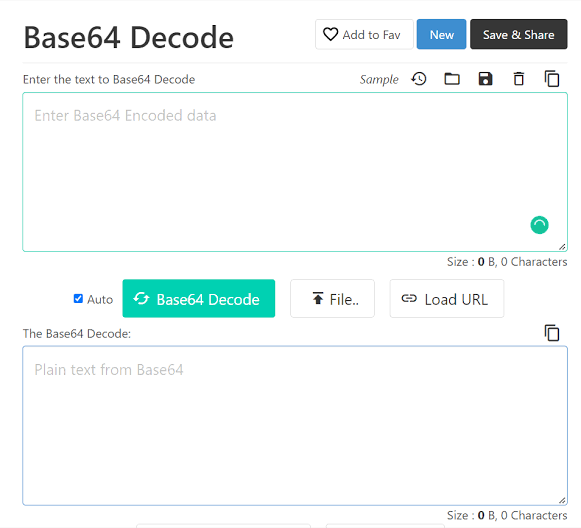
4. Code Beautify Base64 Encode Decode
Code Beautify provides a collection of online tools for developers. Its Base64 encoding and decoding utility helps users convert text into Base64 format and recover readable text from encoded strings.
The interface is designed to make common conversions accessible to people with different levels of technical experience.
Users can work with encoded values while testing applications, examining data, or learning how Base64 works.
The platform also offers other formatting and development utilities, which may be helpful when working on related tasks.
Best for: Beginners and developers who want a simple online converter.
Key features:
- Text encoding and decoding.
- Browser based access.
- A straightforward conversion process.
- Additional developer utilities.
5. Base64 Decode
Base64 Decode is an online utility focused on converting Base64 encoded content into its original representation.
It is especially useful when someone receives an encoded string and wants to understand what it contains. Users can paste the string into the tool and examine the decoded output.
Depending on the type of data, the result may be readable text, structured information, or content that needs a suitable application to interpret.
Users should remember that not every Base64 string represents ordinary text. Some strings contain encoded binary data instead.
Best for: Decoding existing Base64 strings and inspecting their contents.
Key features:
- Base64 decoding.
- Online access.
- Simple input and output.
- Useful for examining encoded text.
6. Base64 Encode
Base64 Encode is a category of online utility that focuses on converting ordinary text into Base64 format. Tools with this name generally allow users to enter text and generate an encoded string.
This process is useful when working with systems that expect text encoded in Base64. For example, developers may need to prepare values for testing or convert text for a particular data processing task.
Some implementations also provide decoding, so users can convert encoded strings back into their original representation.
Before choosing a specific tool, check whether it supports the input format and features you need.
Read also: Best Free Random Number Generators for Games and Drawings
Best for: Users who mainly need to encode text into Base64.
Key features:
- Text to Base64 conversion.
- Simple input fields.
- Copyable encoded output.
- Suitable for basic encoding tasks.
7. Online Base64 Tools
Online Base64 Tools is a general category of web utilities designed to handle common Base64 conversion tasks. Depending on the particular service, users may find separate tools for encoding text, decoding strings, or converting files.
These utilities can help people perform quick conversions without installing a programming language or using a command line.
When choosing a specific service, review its available options carefully. Some tools focus on text, while others support binary data or file conversion.
For sensitive information, check how the service processes submitted data before using it.
Best for: Users looking for a simple browser based conversion workflow.
Key features:
- Base64 encoding and decoding options.
- Quick text conversion.
- Potential support for different input formats.
- No need to install a desktop application.
8. RapidTables Base64 to Text Converter
RapidTables provides online calculators and conversion utilities for common technical tasks. Its Base64 related tools can help users convert encoded text and inspect the resulting output.
The platform is useful for people who prefer a direct interface without a complicated configuration process.
A Base64 to text converter is particularly helpful when examining values copied from development tools, encoded messages, or application output.
However, the output depends on the content being decoded. Binary data may not display as readable text, even when the Base64 string is valid.
Best for: Basic conversion tasks and quick inspection of encoded text.
Key features:
- Online conversion utilities.
- Simple input and output.
- Useful for basic technical tasks.
- Accessible through a web browser.
9. DevToys
DevToys is a developer utility application that brings multiple tools into one interface. Depending on the version and available features, it can help developers perform common data transformation tasks without relying on separate websites.
A desktop application can be useful when you frequently work with encoded data and prefer keeping your tools available locally.
DevToys is different from a simple online converter because it is designed as a broader collection of developer utilities. Users should check their installed version to confirm the specific Base64 functions available.
Best for: Developers who prefer a collection of utilities in a desktop application.
Key features:
- Multiple developer tools in one application.
- Support for common data processing tasks.
- A desktop workflow.
- Useful for regular development work.
10. Programming Language Built In Base64 Utilities
Programming languages such as JavaScript, Python, and Java provide built in or standard library functions for working with Base64 data.
These options are not standalone online converters, but they are useful free alternatives when you need to encode or decode data repeatedly.
For example, JavaScript provides btoa() and atob() for certain Base64 operations. However, these functions have limitations when working directly with Unicode text. Developers should use appropriate UTF 8 conversion methods when handling characters outside the basic Latin character set.
Python provides Base64 functionality through its standard library, making it suitable for scripts and automated workflows.
Best for: Developers who need repeatable conversions inside applications or scripts.
Key features:
- Built in or standard library functionality.
- Support for automated processing.
- No separate online converter required.
- Useful for larger development projects.
How to Choose the Best Free Base64 Tool
The best Base64 encoder and decoder depends on the task you want to complete.
For occasional text conversion, choose a tool with a simple interface and clear output. You should be able to paste your text, run the conversion, and copy the result without unnecessary steps.
For development work, consider tools that support additional data formats and allow you to inspect encoded values. A more advanced utility may be helpful when troubleshooting API responses, configuration files, or application data.
If you frequently process information, consider a programming language library or desktop application. These options can reduce repetitive work and make it easier to incorporate encoding into existing workflows.
Privacy is another important consideration. Avoid submitting passwords, access tokens, private keys, or confidential business information to online converters unless you have verified that the processing method is appropriate for your security requirements.
For sensitive data, a trusted local tool or a well tested library is generally a better choice.
Common Uses of Base64 Encoding and Decoding
Base64 tools are useful in several areas of software development and digital communication.
Web development: Developers can encode small images or other binary content for use in HTML and CSS. However, embedding large images directly can increase document size and affect performance.
API testing: Some APIs require particular values to be supplied in Base64 format. A converter can help prepare test data or inspect returned values.
Data inspection: Decoding a Base64 string can help developers understand application output, encoded messages, and configuration values.
Email systems: Base64 is commonly used to represent binary attachments in email message formats.
Learning programming: Beginners can use online converters to understand how encoding transforms data and how decoding restores it.
Base64 does not compress data or provide security through encryption. It typically increases the size of the represented data by about one third, excluding additional formatting or protocol overhead.
Frequently Asked Questions
1. What is the best free Base64 encoding and decoding tool?
The best option depends on your needs. Simple online converters are suitable for everyday text conversion, while CyberChef offers more advanced data processing features. Developers who need repeated conversions may prefer programming language libraries.
2. Is Base64 encoding free?
Yes. Many online Base64 converters and programming language libraries are available for free. Some websites may impose usage limits or offer additional paid features.
3. Can I decode Base64 without installing software?
Yes. You can use a browser based Base64 decoder by pasting your encoded string into the input field and selecting the decoding option.
4. Is Base64 encoding the same as encryption?
No. Base64 is an encoding method, not an encryption method. It does not require a secret key, and anyone with the encoded value can decode it.
5. Can Base64 encode images and files?
Yes. Base64 can represent binary data, including images and other files. However, the tool must support the relevant input format and provide an appropriate way to handle the decoded output.
6. Why does my Base64 decoder show unreadable characters?
The decoded content may be binary data rather than ordinary text. The input may also use an unexpected character encoding or contain an invalid Base64 string. Check the original data format and use a suitable tool to interpret the result.