10 Free Keyword Difficulty Checker Tools Online
Choosing the right keywords is an important part of search engine optimization. However, targeting keywords with high search volume does not always lead to better rankings. Some keywords have strong competition, making it difficult for new websites and small businesses to appear on the first page of Google.
A keyword difficulty checker helps you estimate how challenging it may be to rank for a specific search term. These tools analyze factors such as competing websites, backlink profiles, and search engine results to help you make informed keyword research decisions.
Fortunately, you do not always need to pay for premium SEO software to evaluate keyword competition. Several free keyword difficulty checker tools online provide useful data for bloggers, website owners, content marketers, and SEO beginners.
In this guide, you will discover 10 free keyword difficulty checker tools, their main features, their limitations, and how to choose the right option for your SEO strategy.
What Is a Keyword Difficulty Checker?
A keyword difficulty checker is an SEO tool that estimates how difficult it may be to rank a webpage in search engine results for a particular keyword.
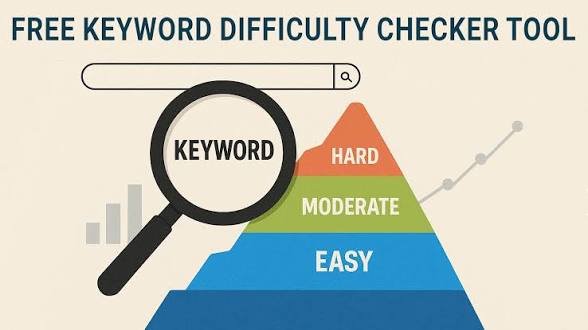
Most tools use a numerical score, often displayed on a scale from 0 to 100. A lower score generally indicates less competition, while a higher score suggests that ranking may require stronger content, relevant backlinks, and greater website authority.
However, scoring systems differ between SEO platforms. A keyword difficulty score of 30 in one tool may not mean the same thing as a score of 30 in another.
Keyword difficulty is also different from search volume. Search volume estimates how often people search for a keyword, while keyword difficulty estimates the competition for ranking.
Using both metrics together helps you identify keywords that attract relevant traffic without requiring resources beyond your website’s current capabilities.
10 Free Keyword Difficulty Checker Tools Online
The following tools offer free keyword research features. Some provide dedicated keyword difficulty scores, while others help you assess competition through search results, keyword suggestions, and related SEO data.
Free access and usage limits may change over time, so check the available features before choosing a tool.
1. Ahrefs Free Keyword Difficulty Checker
Ahrefs provides a free keyword difficulty checker that helps users estimate how challenging it may be to rank for a target keyword.
The tool uses backlink data to assess the strength of competing pages. It also provides an estimated difficulty score that helps users compare keywords and identify potential ranking opportunities.
Key features include:
- Keyword difficulty scores.
- Backlink related competition analysis.
- Keyword research support.
- Insights into the strength of competing pages.
Ahrefs is useful for bloggers, content writers, and SEO professionals who want to understand the relationship between backlinks and organic search rankings.
Its free keyword difficulty checker is a practical starting point for evaluating individual search terms. However, users who need extensive keyword lists, historical data, and advanced competitor research may require a paid subscription.
2. Semrush Keyword Difficulty Checker
Semrush offers keyword research tools that help users understand keyword competition and evaluate ranking opportunities.
Its keyword difficulty metric estimates how challenging it may be to rank in Google’s organic search results. The platform also provides information about search volume, keyword intent, and competing domains through its broader keyword research features.
Key features include:
- Keyword difficulty estimates.
- Search volume information.
- Keyword intent analysis.
- Competitor research capabilities.
Semrush is particularly useful for content marketers who want to compare several keyword ideas before creating an article or landing page.
Its free access options have limitations, and some features may require an account or paid plan. Nevertheless, the available free features can help beginners understand keyword competition and develop a more focused SEO strategy.
3. Moz Keyword Explorer
Moz Keyword Explorer is a keyword research platform that provides keyword difficulty estimates alongside other useful SEO metrics.
Its difficulty score helps users evaluate the competitive strength of search results. The tool also offers information about search volume, organic click potential, and related keyword suggestions.
Key features include:
- Keyword difficulty scores.
- Search volume estimates.
- Related keyword suggestions.
- Organic click potential estimates.
Moz is suitable for users who want more context than a simple difficulty number provides.
For example, a keyword might have moderate difficulty but limited organic click potential because search results contain advertisements or features that answer the query directly.
Moz can help users consider these factors before investing time in content creation. Free usage is limited, so users should review the available allowance before conducting extensive research.
4. Ubersuggest
Ubersuggest is an SEO tool designed to make keyword research accessible to beginners and small website owners.
It provides keyword ideas and competition metrics that help users identify search terms worth targeting. Depending on the available feature and access level, users can also review search volume, cost per click, and estimated ranking difficulty.
Key features include:
- Keyword difficulty estimates.
- Search volume data.
- Related keyword suggestions.
- Basic competitor research.
Ubersuggest is useful for bloggers who want to build a list of potential keywords without learning a complicated SEO platform.
For example, a food blogger researching the keyword “easy vegetarian dinner recipes” can explore related searches and compare their estimated competition.
The free version has usage restrictions, and some advanced reports require a subscription. Even so, its beginner friendly interface makes it a reasonable option for basic keyword research.
5. KWFinder by Mangools
KWFinder is a keyword research tool that focuses on finding search terms with manageable competition.
It provides a keyword difficulty score and information about the websites currently ranking for a target search term. These details help users understand whether a keyword is realistic for their website.
Key features include:
- Keyword difficulty scores.
- Search volume estimates.
- Related keyword ideas.
- Analysis of competing search results.
KWFinder can be particularly helpful for niche websites and smaller blogs.
Instead of targeting a broad keyword such as “digital marketing,” a website owner could investigate a more specific phrase such as “digital marketing tips for local restaurants.”
The more specific phrase may attract a smaller audience, but it could better match the website’s expertise and the searcher’s needs.
KWFinder offers limited free access, while more extensive research requires a paid plan.
6. SERanking Keyword Research Tool
SERanking provides keyword research features that help users evaluate search demand and organic competition.
Its broader SEO platform includes keyword difficulty metrics, search volume estimates, and competitor analysis. These features can help website owners compare potential keywords before planning new content.
Key features include:
- Keyword difficulty information.
- Search volume estimates.
- Competitor keyword analysis.
- Keyword research and tracking features.
SERanking is useful for marketers who want to connect keyword research with other SEO activities.
For example, a small business can evaluate several service related keywords and identify which terms appear more achievable based on their estimated competition.
Free access may depend on the available trial or account options. Users should confirm which keyword research features are accessible without payment.
7. SEO PowerSuite Rank Tracker
SEO PowerSuite offers a desktop SEO toolkit that includes Rank Tracker for keyword research and ranking analysis.
Read also: 9 AI Tools for Refreshing Outdated Website Content
The software supports keyword discovery and competition evaluation. Depending on the selected report and configuration, users can examine keyword difficulty and other metrics to compare search opportunities.
Key features include:
- Keyword research capabilities.
- Keyword difficulty analysis.
- Search engine ranking checks.
- Competitor keyword research.
SEO PowerSuite can be useful for users who prefer desktop software rather than relying entirely on browser based tools.
It also suits people who want to combine keyword discovery with ongoing ranking analysis.
The software offers free access with limitations. Some reporting, storage, and project management features may require a paid license.
8. Google Keyword Planner
Google Keyword Planner is a keyword research tool available through Google Ads.
Unlike dedicated SEO difficulty checkers, it primarily focuses on advertising keyword research. It provides search volume ranges or estimates, keyword suggestions, and advertising competition data.
Key features include:
- Keyword suggestions.
- Search volume estimates.
- Advertising competition data.
- Forecasts for advertising performance.
One important distinction is that Google Keyword Planner does not provide a standard organic keyword difficulty score.
Its competition metric relates to advertisers competing for ad placements, not websites competing for organic rankings.
Despite this limitation, the tool can help you understand keyword demand and discover related search terms. You can then examine Google’s organic results manually to estimate how difficult those keywords may be to rank for.
9. Google Search
Google Search is one of the simplest free ways to evaluate keyword competition.
Although it does not display an official keyword difficulty score, the search results reveal which websites already rank for a query and what type of content Google considers relevant.
Key features include:
- Direct access to organic search results.
- Related search suggestions.
- Search intent evaluation.
- Opportunities to analyze competing content.
To use Google Search for keyword research, enter your target keyword and review the first page of results.
Look at the websites that appear, the quality of their content, the relevance of their pages, and the types of information they provide.
If established websites dominate the results with detailed and relevant content, the keyword may be challenging. If the results contain outdated articles, incomplete answers, or pages that do not fully satisfy the search intent, you may find an opportunity to create something more useful.
This approach requires manual analysis, but it provides valuable context that a numerical score alone cannot offer.
10. Keyword Surfer
Keyword Surfer is a browser extension that supports keyword research directly within Google search results.
Depending on the available features and version, it can display keyword related information such as search volume estimates and related search suggestions.
Key features include:
- Keyword research within search results.
- Search volume estimates.
- Related keyword suggestions.
- Support for content planning.
Keyword Surfer is useful for content writers who want to explore keyword ideas while researching a topic.
For example, someone writing about home gardening can search for a broad phrase and discover related terms that may work as article headings or supporting topics.
However, Keyword Surfer should not be treated as a dedicated keyword difficulty checker unless the currently available version explicitly provides that metric.
Its main value is helping users discover keyword opportunities and collect information that can support manual competition analysis.
How to Choose the Best Free Keyword Difficulty Checker
The best tool depends on your website, experience level, and research needs.
If you want a direct keyword difficulty score, start with Ahrefs, Moz, Semrush, or Ubersuggest. These platforms offer keyword research features designed to help users evaluate organic competition.
If you want to discover specific keywords for a niche website, KWFinder may be worth considering. SEO PowerSuite and SERanking are additional options for users who want to connect keyword research with broader SEO activities.
Google Keyword Planner is more suitable for estimating search demand and exploring advertising keywords. Google Search and Keyword Surfer can help you understand search intent and identify opportunities through manual research.
Before selecting a tool, consider four factors.
First, check whether it provides an organic keyword difficulty score rather than an advertising competition metric.
Second, review the free usage limits. Some tools restrict the number of searches, reports, or keywords you can analyze.
Third, compare more than one metric. Search volume, keyword difficulty, search intent, and ranking page quality all influence keyword selection.
Finally, remember that no keyword difficulty score guarantees a particular ranking position.
Tips for Using Keyword Difficulty Checkers Effectively
Start by choosing keywords that closely match your website’s subject and your audience’s needs. A low difficulty score has limited value if the keyword attracts people who are unlikely to benefit from your content.
Next, compare keywords with different levels of competition. A broad term may attract more searches, while a specific long tail keyword may offer a better opportunity to reach a relevant audience.
Review the actual search results before making your final decision. Check whether the top ranking pages answer the query clearly, cover the topic thoroughly, and demonstrate relevant expertise.
You should also consider your website’s current authority, existing content, and ability to attract relevant backlinks.
For a new website, specific keywords with clear search intent may provide more realistic opportunities than highly competitive general terms.
Most importantly, use keyword difficulty as a guide rather than a final decision making rule. Strong content, relevant internal links, useful page structure, and a positive user experience remain important parts of an effective SEO strategy.
Frequently Asked Questions
1. What is the best free keyword difficulty checker?
Ahrefs, Moz, Semrush, and Ubersuggest are useful options for checking keyword competition. The best choice depends on the metrics you need and the free access currently available.
2. Can I check keyword difficulty for free?
Yes. Several SEO platforms offer free keyword difficulty checks or limited keyword research features. Google Search also allows you to evaluate competing pages manually without paying for an SEO tool.
3. What is a good keyword difficulty score?
A lower score generally indicates less competition, but scoring systems differ between tools. As a general starting point, beginners can investigate keywords with scores below 30, then review the actual search results before deciding whether to target them.
4. Is keyword difficulty the same as search volume?
No. Keyword difficulty estimates how challenging it may be to rank for a keyword, while search volume estimates how frequently people search for it. Both metrics are useful when choosing target keywords.
5. Can I rank for high difficulty keywords?
Yes, but it may require stronger content, relevant backlinks, topical expertise, and greater competition analysis. Websites with limited authority may find it more practical to target specific, less competitive keywords first.
6. Does Google Keyword Planner show organic keyword difficulty?
No. Google Keyword Planner primarily provides advertising competition data, keyword suggestions, and search volume estimates. Its advertising competition metric does not measure organic ranking difficulty.