12 Best Free Keyword Research Tools for New Bloggers
Starting a blog requires more than writing helpful articles. You also need to understand what people search for on Google and which topics are worth covering. Keyword research helps you discover these topics, understand search intent, and create content that matches what your audience needs.
The good news is that you do not need an expensive SEO subscription to get started. Several free keyword research tools can help you find content ideas, explore related search terms, check search trends, and understand what people want to know.
In this guide, we cover the 12 best free keyword research tools for new bloggers. You will learn what each tool does, its main features, and how you can use it to plan your blog content.
What Is Keyword Research?
Keyword research is the process of finding and analyzing the words and phrases people enter into search engines. These search terms are called keywords.
For example, someone starting a food blog might discover keywords such as “easy breakfast recipes,” “how to bake banana bread,” and “healthy meals for beginners.”
These phrases reveal what people want to learn. A blogger can use this information to create relevant articles that answer their questions.
Keyword research also helps you evaluate search demand, competition, and search intent. These factors can guide your content strategy and help you choose topics that suit your blog.
12 Best Free Keyword Research Tools for New Bloggers
1. Google Keyword Planner
Google Keyword Planner is a free keyword research tool from Google. It helps users discover keyword ideas and estimate how frequently people search for particular terms.
The tool was primarily designed for advertising campaigns, but bloggers can also use it to research content topics.
You can enter a keyword related to your niche and receive suggestions for related search terms. The tool also provides estimated search volume ranges, competition data for advertisers, and historical search information.
One important detail is that advertising competition does not directly measure organic SEO difficulty. A keyword with low advertising competition can still have strong competition in Google search results.
Best for: Beginners who want keyword ideas and search volume estimates from Google’s advertising platform.
2. Google Trends
Google Trends helps you understand how interest in a search term changes over time. It is particularly useful for identifying seasonal topics and comparing keyword popularity.
For example, a travel blogger can compare searches for summer destinations and winter holidays. A gardening blogger can investigate when people become more interested in planting vegetables.
The tool displays relative search interest rather than exact search volume. You can also compare several terms, explore regional interest, and discover related rising searches.
Google Trends is useful when you want to publish content at the right time or determine whether a topic is gaining or losing interest.
Best for: Bloggers researching seasonal topics, emerging trends, and changes in audience interest.
3. Google Search Autocomplete
Google Search Autocomplete is one of the simplest free keyword research methods. When you start typing a search query into Google, the search engine may suggest related phrases.
These suggestions can reveal common ways people phrase their questions and explore a topic.
For example, entering “how to start a blog” might produce suggestions related to choosing a niche, creating a website, and writing blog posts.
You can use these suggestions to generate article ideas, discover longer search phrases, and identify specific questions worth answering.
However, autocomplete suggestions are not a reliable source of exact search volume or keyword difficulty. Treat them as starting points for further research.
Best for: New bloggers who want quick keyword ideas without creating an account.
4. Google Search Console
Google Search Console helps website owners monitor their performance in Google Search. Although it is not a traditional keyword discovery tool, it can provide valuable information about the keywords that already bring visitors to your blog.
The Performance report shows search queries, impressions, clicks, click through rate, and average search position.
You can use this information to find opportunities within your existing content. For example, an article might receive impressions for several related searches but attract few clicks. Improving its title and description may help make it more relevant to searchers.
You can also identify queries for which your pages appear in search results and create additional content around closely related topics.
Google Search Console becomes more useful after your blog starts appearing in search results.
Best for: Bloggers who want to improve existing articles and discover keyword opportunities from actual search performance.
5. Ahrefs Free Keyword Generator
Ahrefs Free Keyword Generator helps users discover keyword ideas for different search engines. It can generate suggestions based on a topic or phrase.
Depending on the keyword and search engine selected, the tool may provide information such as estimated search volume, keyword difficulty, and related questions.
These insights can help beginners compare possible blog topics before choosing one to target.
For example, a beginner fitness blogger could research “home workouts” and explore more specific phrases related to exercise routines, equipment, and training for beginners.
Free access has limitations compared with Ahrefs paid SEO products. Some data and research features require a subscription.
Best for: Beginners who want keyword suggestions and basic SEO metrics without paying for a full research platform.
6. Semrush Keyword Magic Tool
Semrush Keyword Magic Tool is designed to help users explore large groups of related keywords. It organizes keyword suggestions into categories, making it easier to discover subtopics within a niche.
For example, searching for “digital marketing” can reveal related terms about social media, email marketing, content creation, and search engine optimization.
The tool can also display metrics such as estimated search volume and keyword difficulty when available.
Its free access is limited, so you may need to create an account and work within daily search or report limits. Some advanced features require a paid subscription.
For new bloggers, the main benefit is the ability to expand a broad topic into a more organized list of potential articles.
Best for: Bloggers who want to explore related keywords and organize content ideas by topic.
7. AnswerThePublic
AnswerThePublic helps users discover questions and phrases people associate with a particular keyword. It organizes search suggestions around words such as what, why, how, when, and where.
Suppose you enter “freelancing.” The results may suggest topics about finding clients, setting prices, choosing freelance skills, and managing work.
These ideas are useful for creating tutorials, beginner guides, comparison articles, and frequently asked questions.
The free version has usage limits, which may vary depending on the current plan. You should check the available access before planning extensive research sessions.
AnswerThePublic is particularly useful when you understand your niche but need help identifying the specific questions your audience may ask.
Best for: Bloggers who want question based keywords and fresh ideas for informative articles.
8. Keyword Tool
Keyword Tool generates keyword suggestions using search autocomplete data. It supports several platforms, including Google, YouTube, Bing, and other search services.
Read also: 10 Free Website SEO Audit Tools for Beginners
This makes it useful for bloggers who create content for multiple channels or want to understand how search behavior differs across platforms.
For example, a technology blogger can research phrases related to smartphone reviews, troubleshooting, and buying advice.
The free version generally focuses on keyword suggestions, while detailed search volume and competition metrics may require a paid plan.
You can use the suggestions to build a list of potential article topics and then evaluate those topics with other free tools.
Best for: Bloggers who need a large variety of keyword ideas from different search platforms.
9. Ubersuggest
Ubersuggest is an SEO research tool that offers keyword suggestions and other website analysis features. It can help bloggers explore search terms and evaluate potential content opportunities.
Depending on the feature and available free access, you may see estimated search volume, SEO difficulty, paid difficulty, and related keyword suggestions.
You can use these metrics to compare keywords and identify topics that appear relevant to your audience.
For example, someone running a personal finance blog could research budgeting, saving money, and debt management to discover related article ideas.
Free usage is limited, and some reports or features may require a paid subscription. Remember that keyword difficulty scores are estimates, not guarantees of how easily a page can rank.
Best for: Beginners who want keyword suggestions alongside basic SEO research features.
10. AlsoAsked
AlsoAsked focuses on questions associated with Google’s People Also Ask results. It helps users explore how different questions relate to a central topic.
For example, researching “starting a vegetable garden” may reveal questions about soil preparation, suitable vegetables, watering, and planting seasons.
These questions can help you structure comprehensive articles and identify useful subheadings.
You can also use the results to discover related articles that answer different questions within the same subject area.
Free access may be limited by the number of searches or other plan restrictions.
Best for: Bloggers who want to understand related questions and organize their articles around search intent.
11. Keyword Surfer
Keyword Surfer is a browser extension that provides keyword research information while you browse Google search results.
Depending on its current features and data availability, it can display estimated search volumes, related keyword ideas, and other SEO information directly in the search interface.
This allows you to research topics without constantly switching between different tools.
For example, you can search for “best indoor plants” and explore related phrases while reviewing the pages that already rank for that topic.
Its estimates should be treated as directional rather than exact figures. Search volume and other metrics can differ between SEO platforms.
Best for: Bloggers who prefer to research keywords directly while examining Google search results.
12. QuestionDB
QuestionDB helps users discover questions people ask about particular subjects. It can be useful for finding specific problems, concerns, and information gaps that a blog post could address.
For example, researching “email marketing” may reveal questions about building an email list, writing effective campaigns, and measuring results.
These questions can inspire detailed tutorials, practical guides, and supporting sections within broader articles.
Free access may limit the number of results or searches available. Some features may also depend on the current plan.
QuestionDB works best when you already have a clear topic and want to understand the smaller questions surrounding it.
Best for: Bloggers who want to find specific audience questions and develop useful informational content.
How to Choose the Right Free Keyword Research Tool
You do not need to use all 12 tools for every article. Choosing a small group that meets your needs will make keyword research easier and more efficient.
If you are starting a new blog, begin with Google Search Autocomplete, Google Trends, and Google Keyword Planner. These tools can help you discover ideas, understand search interest, and examine available search volume estimates.
Once your blog starts receiving organic traffic, add Google Search Console to identify the queries that already bring impressions and clicks.
You can also use Ahrefs Free Keyword Generator, Semrush Keyword Magic Tool, or Ubersuggest to expand your keyword list. AnswerThePublic, AlsoAsked, and QuestionDB are useful when you need questions and supporting topics for detailed articles.
When comparing keywords, consider four important factors.
Search intent: Determine whether people want information, product comparisons, or a specific website or service.
Search demand: Look for evidence that people search for the topic. Remember that search volume estimates can vary between tools.
Competition: Examine the pages already ranking in Google. Consider whether your article could provide more useful, relevant, or complete information.
Relevance: Choose keywords that match your blog’s niche and the needs of your intended audience.
For new bloggers, specific long tail keywords can be useful because they often express a clearer need. However, they are not automatically easy to rank for. Always evaluate the actual search results and the quality of competing pages.
Conclusion
The best free keyword research tool depends on your blogging goals. Google Keyword Planner and Google Trends help you understand search demand and trends, while Google Search Console reveals opportunities from your existing content.
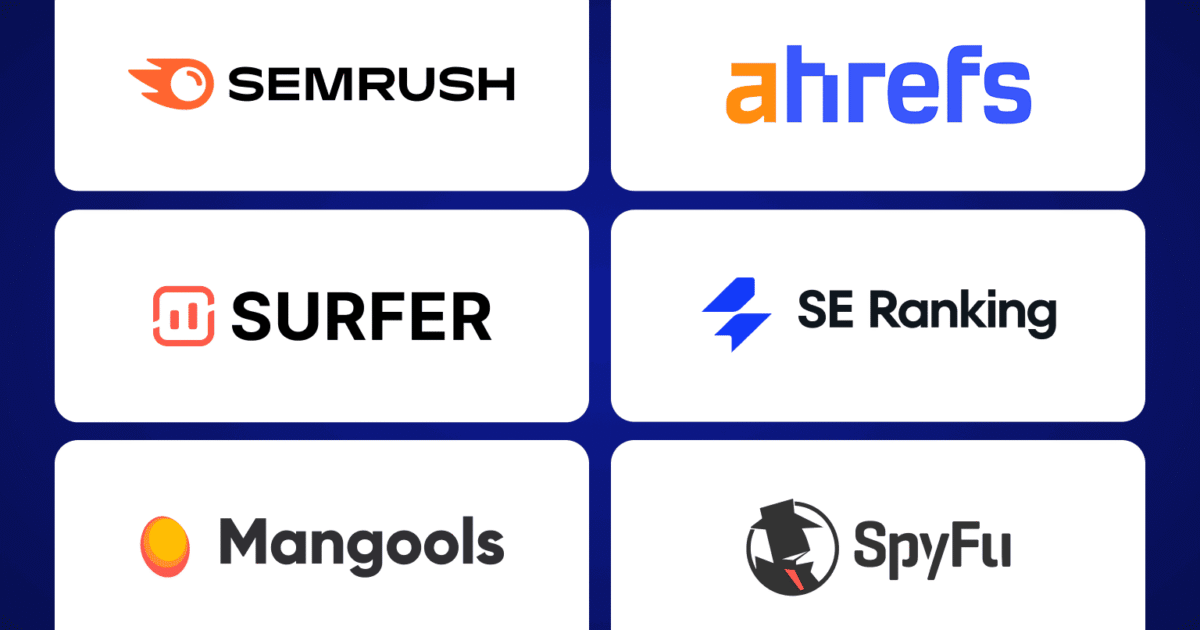
Tools such as Ahrefs Free Keyword Generator, Semrush Keyword Magic Tool, and Ubersuggest provide additional keyword suggestions. Meanwhile, AnswerThePublic, AlsoAsked, and QuestionDB help you discover questions that can guide your content strategy.
Start with two or three tools, research your audience’s needs, and focus on creating helpful articles that match search intent. Consistent keyword research can help you make better content decisions as your blog grows.
Frequently Asked Questions
1. What is the best free keyword research tool for beginners?
Google Keyword Planner is a useful starting point for keyword ideas and search volume estimates. Google Autocomplete is another simple option for discovering related search phrases without a complicated setup.
2. Can I do keyword research without paying?
Yes. You can use free tools such as Google Trends, Google Keyword Planner, Google Search Console, and free keyword generators. Some tools impose usage limits or reserve advanced metrics for paid plans.
3. How many keywords should I target in one blog post?
Focus on one primary keyword and a group of closely related secondary keywords. Include related terms naturally when they help answer the reader’s questions. Avoid forcing unrelated keywords into the article.
4. What is a long tail keyword?
A long tail keyword is a specific search phrase that often contains several words. For example, “how to grow tomatoes in small pots” is more specific than “gardening.” These phrases can help you target particular audience needs.
5. Is keyword search volume more important than keyword difficulty?
Neither metric should determine your decision alone. Search volume helps estimate demand, while keyword difficulty provides an estimate of competition. Relevance, search intent, and the quality of existing search results also matter.
6. How often should bloggers do keyword research?
Review keyword opportunities whenever you plan new content and periodically revisit your existing articles. Monthly reviews can help you identify changing search trends, new audience questions, and opportunities to improve pages that already receive impressions.