10 Free Website SEO Audit Tools for Beginners
A website SEO audit helps you understand how well your website performs in search engines and identify problems that may affect its visibility on Google. It can reveal issues with page titles, meta descriptions, website speed, mobile usability, broken links, indexing, and other important SEO factors.
For beginners, finding the right SEO audit tool can make this process easier. Many free tools provide useful reports that help you identify technical errors, improve website content, and understand how search engines access your pages. Some tools focus on technical SEO, while others help you analyze keywords, page performance, backlinks, or user experience.
The good news is that you do not need an expensive subscription to start auditing your website. Several free website SEO audit tools provide enough information to help you understand your website’s current condition and plan improvements.
In this guide, we explore 10 free website SEO audit tools for beginners, explain their main features, and show you when to use each one.
What Is a Website SEO Audit?
A website SEO audit is the process of checking a website for issues that may affect its performance in organic search results.
An audit examines several areas of search engine optimization, including technical SEO, on page SEO, content quality, mobile usability, and website performance.
For example, an audit may identify pages with missing title tags, duplicate meta descriptions, broken internal links, slow loading times, or indexing problems.
These findings help website owners understand which improvements deserve attention.
You do not need to fix every issue at once. Beginners can start by correcting important technical problems, improving essential pages, and making sure search engines can discover and index their content.
10 Free Website SEO Audit Tools for Beginners
1. Google Search Console
Google Search Console is one of the most useful free SEO tools for website owners. It helps you understand how Google discovers, indexes, and displays your website in search results.
The platform provides information about search impressions, clicks, click through rates, and average search positions. It also reports certain indexing problems and website experience issues.
Its URL Inspection feature allows you to check the indexing status of individual pages and see whether Google has encountered problems accessing them.
For beginners, Google Search Console is a practical starting point because it provides information directly from Google about your website’s search performance.
Key features include:
- Search performance reports.
- URL inspection and indexing information.
- Sitemap submission.
- Reports on certain technical and page experience issues.
- Notifications about some website problems.
Best for: Website owners who want to monitor organic search performance and identify indexing issues.
2. Google Analytics
Google Analytics helps you understand how visitors interact with your website. Although it is not a dedicated SEO audit tool, it provides useful information for evaluating the results of your SEO efforts.
You can examine how visitors arrive at your website, which pages they view, how long they engage with content, and whether they complete important actions.
When configured correctly, Google Analytics 4 can show traffic from organic search. You can use this information to identify pages that attract visitors and pages that may need improvement.
For example, if an important landing page receives organic traffic but generates few enquiries, you may need to improve its content, navigation, or calls to action.
Google Analytics does not replace a technical SEO audit. Instead, it helps you understand what happens after visitors reach your website.
Key features include:
- Organic traffic reporting.
- Landing page analysis.
- User engagement measurements.
- Conversion tracking.
- Audience and traffic source reports.
Best for: Beginners who want to measure website traffic and understand visitor behaviour.
3. Google PageSpeed Insights
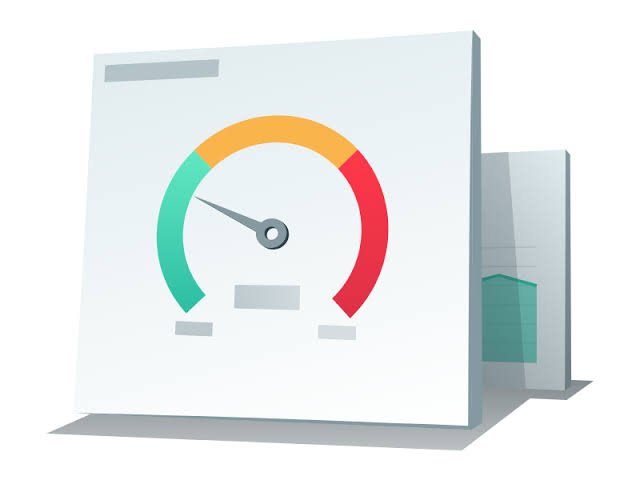
Google PageSpeed Insights analyzes the performance of individual web pages on mobile devices and desktop computers.
It provides performance scores and identifies factors that may slow down a page. These can include large images, inefficient JavaScript, render blocking resources, and other technical issues.
The tool also reports Core Web Vitals when sufficient real user data is available. These metrics help evaluate loading performance, responsiveness, and visual stability.
For beginners, the recommendations are useful because they explain possible causes of poor performance and suggest areas for improvement.
However, a performance score is not a direct measurement of your website’s overall SEO quality. You should review the actual issues and their impact rather than focusing only on achieving a perfect score.
Key features include:
- Mobile and desktop performance analysis.
- Core Web Vitals information.
- Loading performance diagnostics.
- Recommendations for improving page speed.
- Technical resource analysis.
Best for: Website owners who want to improve loading speed and user experience.
4. Bing Webmaster Tools
Bing Webmaster Tools helps website owners understand how their websites perform in Microsoft’s Bing search engine.
It offers reports on search performance, indexing, sitemap submissions, and certain technical SEO problems. Its Site Scan feature can also crawl a website and identify issues that require attention.
This makes the platform useful for beginners who want to check website health beyond Google.
You can use the reports to discover pages that search engines may struggle to access and identify opportunities to improve your site’s technical setup.
Key features include:
- Search performance reports.
- Sitemap management.
- URL inspection tools.
- Website crawling and SEO issue detection.
- Information about backlinks and keywords.
Best for: Beginners who want to monitor Bing visibility and discover technical SEO problems.
5. Screaming Frog SEO Spider
Screaming Frog SEO Spider is a website crawler that examines pages and collects technical SEO information.
Its free version allows you to crawl up to 500 URLs per website, making it suitable for small websites and beginners who want to learn technical SEO.
The tool can identify missing page titles, duplicate titles, missing meta descriptions, broken links, redirect issues, and other common problems.
It can also show how pages connect through internal links, helping you understand your website structure.
Screaming Frog provides detailed data, so the interface may take some time to learn. Beginners should start with a few basic checks before exploring its more advanced features.
Key features include:
- Website crawling.
- Broken link detection.
- Page title and meta description analysis.
- Redirect and status code checks.
- Internal linking analysis.
Best for: Beginners who want to perform technical SEO audits on small websites.
6. Ahrefs Webmaster Tools
Ahrefs Webmaster Tools provides website owners with access to selected SEO reports for websites they verify.
Its free features include Site Audit, which crawls your website and identifies technical and on page SEO issues. Depending on the available reports, you can also review backlink information and organic search performance.
The audit can help identify broken links, redirect problems, missing metadata, and other issues that may affect website health.
Because the reports include multiple categories of findings, it is helpful to prioritize problems instead of attempting to fix everything immediately.
You must verify ownership of your website to access the relevant free reports.
Key features include:
- Website health reports.
- Technical SEO issue detection.
- Broken link checks.
- Backlink information.
- Organic search insights.
Best for: Website owners who want a detailed SEO audit with additional backlink information.
7. Semrush Site Audit
Semrush Site Audit is designed to crawl websites and identify technical and on page SEO issues.
It checks for problems such as broken links, missing metadata, crawlability issues, duplicate content signals, and certain performance concerns.
The results are organized into categories, helping users distinguish between more serious errors and less urgent warnings.
Read also: 10 Free Base64 Encoding and Decoding Tools
Semrush offers limited free access to selected features, although the available audit allowance and usage limits may vary by account and plan.
For beginners, the tool can help explain technical SEO problems and provide a structured way to review website health.
You should check the current free account limits before starting a large audit.
Key features include:
- Technical SEO crawling.
- Website health reporting.
- Broken link identification.
- Metadata checks.
- Recommendations for resolving detected issues.
Best for: Beginners who want a structured website audit and guidance on technical SEO improvements.
8. SEOptimer
SEOptimer is a website analysis tool that generates SEO audit reports for individual web pages.
It checks several aspects of website optimization, including page titles, meta descriptions, headings, mobile friendliness, loading performance, and selected technical factors.
The report presents findings in an accessible format, making it easier for beginners to understand potential problems without examining large amounts of technical data.
Free access may have restrictions on the number of audits or available features.
SEOptimer can be useful when you want a quick overview of a website before conducting a more detailed investigation with other tools.
Key features include:
- On page SEO checks.
- Website performance analysis.
- Mobile optimization checks.
- Basic technical SEO findings.
- Readable audit reports.
Best for: Beginners who want a straightforward overview of potential SEO problems.
9. SEOquake
SEOquake is a browser extension that provides SEO information while you browse websites and search results.
It can help you examine page titles, meta descriptions, headings, links, and other on page elements. Depending on the page and available features, it can also provide additional SEO information for competitive research.
For beginners, SEOquake is useful when reviewing your own pages or examining how competing websites organize their content.
It is not a complete replacement for a website crawler because it does not provide the same level of sitewide technical analysis as dedicated audit tools.
However, it can help you investigate individual pages and develop a better understanding of on page SEO.
Key features include:
- On page SEO analysis.
- Page title and metadata inspection.
- Heading structure checks.
- Link analysis.
- Search results analysis.
Best for: Beginners who want to inspect individual pages and learn more about on page SEO.
10. Ubersuggest
Ubersuggest offers SEO features that help users research keywords, examine competitors, and identify website optimization opportunities.
Its website audit feature can report technical and on page SEO issues, including certain broken links, page speed concerns, and other website health problems.
The platform also provides keyword ideas and information about organic search competitors, helping users connect technical improvements with broader SEO planning.
Free access is limited, and the number of available searches or audits may depend on the current plan.
For beginners, Ubersuggest can be useful when you want to explore keyword research and website auditing in one platform.
Key features include:
- Website SEO audits.
- Keyword research.
- Competitor analysis.
- Backlink information.
- Page optimization suggestions.
Best for: Beginners who want to combine basic website auditing with keyword research.
How to Choose the Best Free SEO Audit Tool
The best tool depends on what you want to examine and how much technical experience you have.
If you are new to SEO, start with Google Search Console. It helps you understand indexing and organic search performance. Use Google PageSpeed Insights to investigate loading speed and Core Web Vitals.
If you need to check technical problems across multiple pages, try the free versions of Screaming Frog SEO Spider or Ahrefs Webmaster Tools. SEOptimer and SEOquake are useful for simpler page level checks.
Bing Webmaster Tools is a valuable option for monitoring your website on Bing, while Google Analytics helps you measure visitor activity.
Before choosing a tool, consider the following factors:
- Website size: Some free tools limit the number of pages you can crawl or audit.
- Ease of use: Beginners may prefer reports that explain issues in simple language.
- Audit requirements: Choose a tool that checks the specific problems you want to investigate.
- Usage limits: Check how many audits, searches, or reports the free plan allows.
- Reporting features: Look for clear explanations and practical recommendations.
You do not need to use all ten tools. Two or three complementary tools can provide enough information to begin improving a small website.
How to Perform a Basic Website SEO Audit
Once you choose your tools, follow a simple process to identify and address important problems.
Step 1: Check indexing.
Use Google Search Console to review indexing reports and inspect important pages. Confirm that valuable content can be discovered and indexed by Google.
Step 2: Review page titles and meta descriptions.
Check whether important pages have clear, descriptive titles and useful meta descriptions. Make sure each page targets a relevant topic and communicates its purpose.
Step 3: Test website speed.
Use PageSpeed Insights to identify performance problems. Start with practical improvements, such as resizing large images and reducing unnecessary scripts.
Step 4: Find broken links.
Use a crawler such as Screaming Frog or Ahrefs Webmaster Tools to identify links that lead to missing pages. Correct the links or redirect visitors when an appropriate replacement exists.
Step 5: Review mobile usability.
Check whether your website works properly on smaller screens. Text should be readable, navigation should be accessible, and important content should not require unnecessary horizontal scrolling.
Step 6: Prioritize the findings.
Fix serious issues first, particularly problems that prevent important pages from being crawled or indexed. Then address broken links, missing metadata, and content improvements.
Repeat the audit periodically to monitor progress and discover new issues.
Frequently Asked Questions
1. What is the best free SEO audit tool for beginners?
Google Search Console is an excellent starting point because it provides search performance and indexing information. Google PageSpeed Insights complements it by identifying page performance issues.
2. Can I audit my website without paying?
Yes. Several tools offer useful free auditing features, including Google Search Console, Bing Webmaster Tools, and the free version of Screaming Frog SEO Spider. Some other platforms provide limited free audits.
3. How often should I perform an SEO audit?
For a small website, a basic review every month or every few months can be useful. You should also audit your website after major redesigns, migrations, or significant technical changes.
4. Do free SEO audit tools improve Google rankings?
No tool directly guarantees higher rankings. These tools help you identify problems and opportunities. Your results depend on how effectively you address issues, improve content, and meet users’ needs.
5. What should I check first during an SEO audit?
Start by checking whether important pages can be crawled and indexed. Then review page titles, meta descriptions, broken links, mobile usability, and loading performance.
6. Do I need multiple SEO audit tools?
Not necessarily. One tool may be enough for a basic check, but combining complementary tools provides a broader view. For example, Google Search Console and PageSpeed Insights cover different aspects of website performance and optimization.