Everygen AI: How to Create 2 Minute AI Videos for Free Without Watermark
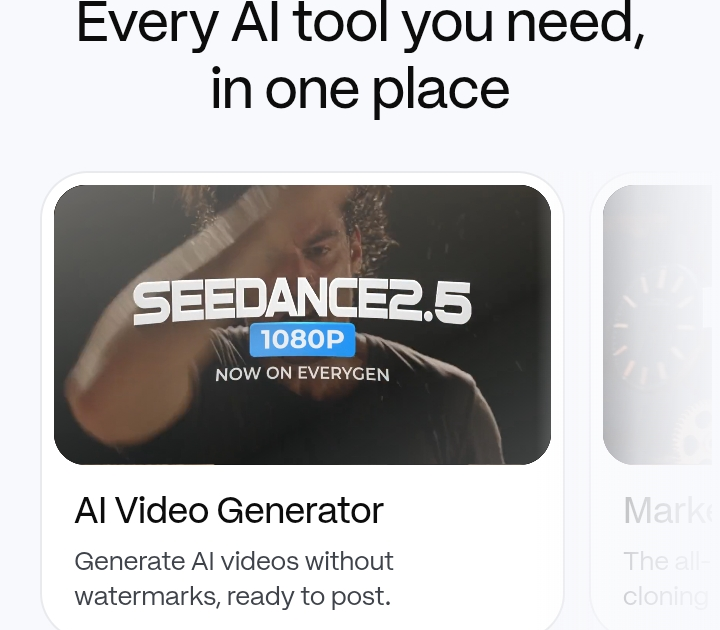
Everygen AI is an online video creation platform designed for making AI videos, short form content, user generated content, advertisements, images, and social media videos. It was previously known as Viewmax and has since been rebranded as Everygen.
Many people search for Everygen AI because they want to create longer AI videos without complicated editing software. Another common search is whether Everygen can make a two minute video for free without a watermark.
There is an important difference between these two questions. Everygen provides watermark free video generation, but its current pricing information does not show a completely free plan for unlimited video creation. The platform provides access to AI tools through credits, and longer projects can require paid credits or a subscription.
This guide explains what Everygen AI does, how its video creation process works, how to approach a two minute project, what free access means, and what beginners should know before creating a video.
What Is Everygen AI?
Everygen AI is an AI content creation platform that brings several video and image generation tools into one workspace.
The platform focuses heavily on short form social media content. It also provides tools for AI generated advertisements, user generated content, product videos, scripts, voiceovers, captions, and other forms of digital content.
Everygen was previously called Viewmax. Existing information about Viewmax may therefore refer to features that are now available under the Everygen name.
The platform uses different AI models for video generation rather than relying on only one model. Available models can vary over time as new models are added or older models are changed.
For beginners, the main benefit is that the video creation process can take place inside one platform. Instead of creating a script in one application, generating images in another application, creating video clips somewhere else, and adding captions with separate software, Everygen combines several of these tasks.
The exact features available to an account depend on the current plan, credits, model, and type of project.
Can Everygen AI Create a Two Minute Video?
Yes, Everygen can be used to create videos that reach two minutes in length through its Studio workflow.
EveryGen Studio describes support for projects ranging from 15 seconds to 180 seconds. This means a two minute video falls within the stated project length range.
This is different from generating one two minute clip from a single prompt.
AI video models commonly generate shorter individual clips. A longer video can instead be assembled from multiple scenes. The Studio workflow is designed to plan the story, divide it into shots, generate the required footage, add sound, and assemble the final result.
For example, a two minute educational video could contain several scenes.
The opening scene could introduce the topic.
The next few scenes could explain the main points.
Another scene could provide an example.
The final scene could summarize the information.
This approach is more practical than expecting one prompt to produce a complete two minute video with perfect continuity.
Is Everygen AI Really Free?
This is where search results can become confusing.
Everygen allows people to sign up and provides access to its platform, but its current pricing page lists paid plans with monthly credits. The current pricing information does not show a permanent free plan that allows unlimited video generation.
The platform does provide credits and has offered ways for new users to try its services. However, having free access to an account or receiving trial credits is not the same as having unlimited free video generation.
A two minute AI video can also consume substantially more resources than a short clip because it may require multiple scenes, video generations, audio, and revisions.
Therefore, beginners should check the current credit balance and generation cost before starting a long project.
If a website or article says that Everygen provides unlimited two minute videos completely free, that statement should be treated carefully unless the current Everygen pricing page confirms it.
Can You Create Everygen Videos Without a Watermark?
Everygen advertises AI video generation without watermarks.
This means that watermark free exports are part of the platform’s current offering.
However, watermark removal and free generation are separate issues.
A service can offer watermark free exports while still charging for the credits required to generate the content. This appears to be the important distinction with Everygen.
In other words, the absence of a watermark does not automatically mean that the video was generated at no cost.
For anyone looking for a free AI video generator without a watermark, it is therefore useful to check both the export conditions and the current pricing terms.
How to Make a Two Minute AI Video With Everygen
The basic process is straightforward for beginners.
Start by deciding what the video should accomplish.
A clear goal makes the generation process easier. For example, you might want to create an educational video, a product explanation, a fictional story, a social media video, or a promotional advertisement.
Next, prepare the script.
A two minute spoken video normally needs a reasonably short script. The exact word count depends on the speaking speed, pauses, and style of narration. Keeping the script concise gives the AI more room to create natural pacing.
Divide the script into scenes.
Do not treat a two minute video as one large block of text. Break it into sections that have a clear visual purpose.
For example, an educational video could use this structure.
Introduction
Main point one
Main point two
Example
Main point three
Summary
This structure gives the video a logical flow and makes it easier to correct individual scenes.
Write a Clear AI Video Prompt
The quality of the prompt affects the type of result you receive.
A useful prompt should explain the subject, setting, action, visual style, camera movement, mood, aspect ratio, and other important details.
Beginners do not need to write extremely complicated prompts.
A simple prompt could describe a person explaining a topic in a modern office with natural lighting and a steady camera.
For a product video, the prompt could describe the product on a clean table with controlled lighting and slow camera movement.
The important point is consistency.
If the same character appears throughout the video, describe that character consistently. If the video uses a particular visual style, maintain that style across the scenes.
Use Scenes Instead of One Long Generation
One of the most useful approaches for longer AI videos is scene based production.
Instead of asking the system to generate an entire two minute video in one step, create several shorter sections and combine them into the final project.
This approach can improve control over the video.
If one scene looks wrong, you can revise that scene instead of recreating the entire project.
It also makes it easier to maintain a logical sequence.
For example, a two minute video could contain eight scenes of approximately 15 seconds each.
The exact number does not matter. The goal is to divide the project into manageable sections.
EveryGen Studio is designed around this type of production process. It can create a plan, organize shots, generate footage, add dialogue and sound, and then allow revisions.
Add Voice and Sound
A two minute video usually needs more than visuals.
Voiceover can explain information while the visuals support what the narrator says.
Everygen includes AI voiceover and script generation features in its current platform offering.
When creating a narrated video, keep the voiceover aligned with the scenes.
Do not describe something in the narration several seconds before it appears on screen.
A simple relationship between speech and visuals usually makes the video easier to understand.
Music and sound effects can also be used when appropriate.
For educational or informational content, keep background audio subtle. The voice should remain easy to understand.
Add Captions
Captions are useful for social media videos because some viewers watch without sound.
Everygen provides automatic caption features as part of its current toolset.
After generating captions, review them carefully.
AI generated captions can contain incorrect words, punctuation, names, or numbers.
This is especially important when the video discusses technical subjects, company names, locations, or specialized terms.
Correct captions before exporting the final video.
Choose the Correct Video Format
The correct aspect ratio depends on where you plan to publish the video.
Vertical video is commonly used for platforms that focus on short form mobile content.
A landscape format can be more appropriate for traditional video platforms, presentations, and some educational content.
EveryGen Studio currently describes support for both landscape and vertical formats.
Choose the format before generating the project when possible.
Changing the format later can require additional editing because important subjects may be positioned differently in each frame.
How to Reduce Credit Usage
If you want to make an AI video while spending as little as possible, planning is important.
Do not repeatedly generate scenes without a clear reason.
Start with the script.
Then create a scene plan.
Then prepare the prompts.
After that, generate the most important scenes first.
This process reduces unnecessary generations.
Keep prompts specific enough to communicate the intended result. At the same time, avoid adding unnecessary instructions that do not affect the scene.
You should also review the first version before making multiple changes.
If the problem is limited to one scene, revise that scene rather than regenerating the complete project.
Can You Make a Two Minute Video With Free Credits?
This depends on the amount of free or trial credit available to your account at the time you use Everygen.
The platform’s current pricing page lists paid credit plans, while EveryGen Studio states that signing up is free and includes credits to try the service. It also explains that a complete Studio film will usually require a paid plan or credit pack.
Therefore, free credits may allow you to test the workflow, but they should not be treated as a guarantee that an entire two minute production can be completed for free.
The amount of credit required can also change according to the model, resolution, number of scenes, audio requirements, and revisions.
Before generating the final project, check the credits shown in your account.
How to Make a Two Minute Video at the Lowest Possible Cost
Start with a short script.
Remove unnecessary scenes.
Use a simple visual style.
Avoid excessive regeneration.
Generate only the scenes that support the message.
Use a consistent character description.
Review prompts before generating them.
Keep revisions focused.
Choose an appropriate resolution rather than automatically selecting the highest available setting.
These steps can make a significant difference because AI video generation uses computational resources for every generation.
A simple two minute informational video may be easier to produce than a highly detailed cinematic project containing many characters, complex movement, multiple locations, and extensive sound design.
What Can Beginners Create With Everygen?
Everygen is particularly suited to short form digital content.
Beginners can use it for educational videos, product demonstrations, social media posts, advertisements, fictional stories, user generated content, talking head videos, and other creative projects.
The platform also provides AI avatars that can be directed with scripts.
For businesses, this can be useful when a video needs a presenter without recording a real person.
For creators, the combination of scripts, voices, captions, avatars, and AI generated visuals can reduce the number of separate tools needed for production.
However, AI generated content still requires human review.
The system may produce incorrect information, unnatural movement, inconsistent characters, or other errors.
A generated video should therefore be reviewed before publication.
Important Things to Check Before Publishing
Do not assume that an AI generated video is automatically suitable for publication.
Check the facts first.
If the video contains statistics, names, dates, prices, medical information, financial information, or other factual claims, verify them independently.
Check the visuals as well.
AI systems can sometimes produce distorted hands, incorrect text, unusual objects, or inconsistent characters.
Review the audio.
Make sure names are pronounced correctly and that the narration matches the script.
You should also check the rights associated with any material you upload.
Everygen’s terms state that users are responsible for having the necessary rights to content they upload and for reviewing and using the generated output appropriately.
This matters when using photographs, logos, music, video clips, or other copyrighted material.
Is Everygen Good for Long AI Videos?
Everygen is mainly positioned around social media videos, AI advertisements, UGC content, and related formats.
Its Studio workflow also supports longer projects than individual AI video clips.
For a two minute video, this can be useful because the project can be planned as a complete production instead of treating every generated clip as an isolated file.
However, longer AI videos require more planning.
The more scenes a video contains, the more opportunities there are for visual inconsistencies.
Characters can change appearance.
Locations can look different.
Voice tone can vary.
Objects can move unexpectedly.
For this reason, consistency should be one of the main priorities when creating a longer AI video.
Conclusion on Everygen AI Free Without Watermark
Everygen AI can create watermark free AI videos, and its Studio workflow supports projects that can reach two minutes and beyond.
However, the phrase free without watermark needs clarification.
Watermark free does not mean that every video can be generated at no cost.
The current Everygen pricing information is based on paid plans and credits. Free access or trial credits may let new users test the platform, but a complete two minute project may require additional credits depending on the production.
For beginners, the safest approach is to create a short test first.
Prepare the script.
Build a few scenes.
Check the visual quality.
Review the audio.
Then estimate the credits required for the complete video.
This gives you a better idea of the actual cost before committing to a longer generation.
If your main goal is a two minute AI video with no watermark, Everygen is capable of supporting that type of project. If your requirement is specifically a completely free two minute video with no watermark, you should check the current credit allowance and pricing before assuming that the entire project can be completed for zero cost.
Frequently Asked Questions
| Questions | Answers |
|---|---|
| Is Everygen AI free? | Everygen allows users to access and try its platform, but its current pricing page does not show an unlimited free plan. Video generation uses credits, and longer projects may require a paid plan or credit pack. |
| Can Everygen make two minute videos? | Yes. EveryGen Studio states that it supports projects from 15 seconds to 180 seconds, so a two minute video is within its stated range. |
| Does Everygen add a watermark? | Everygen advertises watermark free AI video generation. However, watermark free export is separate from whether the generation itself is free. |
| Can I make a two minute Everygen video without paying? | You may be able to test the service with available free credits, but the platform does not currently guarantee that a complete two minute project can be produced entirely with free credits. |
| Can Everygen generate voiceovers and captions? | Yes. The platform currently provides AI voiceover, script generation, and automatic caption features. |
| What is the best way to create a two minute Everygen video? | Write the script first, divide it into scenes, generate the visuals, add narration and captions, review each scene, and then assemble and export the final video. |