Best AI Tools for Writing Pinterest Pin Descriptions
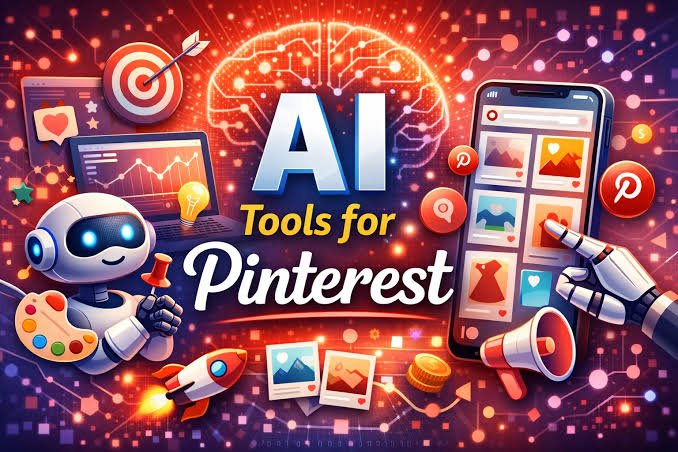
Writing Pinterest pin descriptions can take time, especially when you manage several boards or publish new pins regularly. Each description needs to explain the content, include relevant keywords, and encourage users to explore the linked page. Artificial intelligence tools can help simplify this process by generating ideas, improving existing text, and creating descriptions for different audiences.
The best AI tools for writing Pinterest pin descriptions can help bloggers, content creators, online businesses, and social media managers prepare descriptions more efficiently. Some tools specialize in general writing, while others focus on SEO, marketing copy, or social media content.
However, not every AI writing tool is equally suitable for Pinterest. Some produce descriptions that sound unnatural or include too many keywords. Others generate general text that does not accurately describe the pin.
This guide explores the best AI tools for writing Pinterest pin descriptions, their main features, and how to choose the right option for your content strategy.
What to Look for in an AI Tool for Pinterest Pin Descriptions
Before choosing an AI writing tool, consider how well it supports your Pinterest marketing goals.
A useful tool should generate clear descriptions that explain what users can expect after clicking a pin. It should also help you incorporate relevant search terms naturally.
Keyword support is particularly important because Pinterest functions as a visual discovery and search platform. Using specific phrases related to your content can help users understand what a pin offers.
You should also consider ease of use, customization options, pricing, and the ability to generate multiple versions of a description.
Some tools offer free access with usage limits, while others require a paid subscription for additional features. Check the current plan details before relying on a particular feature.
1. ChatGPT
ChatGPT is a flexible AI writing tool that can generate Pinterest pin descriptions for many types of content. It works well for bloggers, affiliate marketers, online store owners, and content creators who need descriptions for different topics.
You can provide a pin title, a short explanation of the content, and a list of target keywords. ChatGPT can then suggest several descriptions based on your instructions.
For example, a food blogger could request Pinterest descriptions for a quick chicken dinner recipe. The tool could generate versions that emphasize cooking time, ingredients, meal planning, or family dinners.
You can also ask it to adjust the tone, include a specific keyword naturally, or make a description more suitable for beginners.
Another useful feature is its ability to rewrite existing descriptions. If a description sounds repetitive or unclear, you can request a more natural version.
Best for: Bloggers and content creators who need flexible writing assistance.
Main advantage: It supports different topics, writing styles, and keyword instructions.
Limitation: You need to provide clear instructions and review the output for accuracy and relevance.
2. Claude
Claude is an AI assistant that can help create readable Pinterest descriptions with a natural writing style. It is useful when you want descriptions that explain the value of a pin without sounding overly promotional.
You can give Claude information about an article, product, recipe, or tutorial and ask it to produce several description options.
For example, a home decor blogger could use it to write descriptions for small bedroom ideas, minimalist furniture arrangements, and budget friendly decorating tips.
Claude can also help shorten long descriptions, remove unnecessary phrases, and improve sentence flow.
When working with a large collection of pins, you can provide background information about your audience and preferred writing style. This can help you maintain a consistent tone across your content.
Best for: Creators who prioritize clear and natural language.
Main advantage: It can help produce well structured descriptions that communicate a pin’s value.
Limitation: Its suggestions still require keyword checks and editing to ensure they accurately represent the linked content.
3. Google Gemini
Google Gemini is another general purpose AI assistant suitable for creating Pinterest pin descriptions. It can generate ideas from a topic, suggest relevant phrases, and rewrite descriptions for different audiences.
Suppose you publish an article about indoor plants for beginners. You can ask Gemini to suggest descriptions that focus on easy care plants, indoor gardening, or decorating small spaces.
You can also request multiple versions for different Pinterest boards. This is useful when one article fits several related topics.
For example, an article about healthy breakfast ideas might fit boards focused on meal preparation, nutritious recipes, and quick morning meals. Gemini can help you emphasize the most relevant aspect for each audience.
Always confirm that the suggested keywords match your content and audience. Do not assume that an AI generated phrase has high search demand without further research.
Best for: Users who want a general AI assistant for brainstorming and writing.
Main advantage: It can generate topic variations and adapt descriptions to different content categories.
Limitation: Keyword suggestions may not reflect actual Pinterest search demand.
4. Copy.ai
Copy.ai focuses on marketing and business writing. It can help users create short promotional text, product descriptions, and social media content.
For Pinterest, you can use it to develop descriptions for product pins, blog posts, digital products, and business resources.
For example, an online store selling handmade jewelry could request descriptions that highlight product materials, style, and suitable occasions.
The tool can also help generate several approaches to the same topic. One description might focus on a product’s practical benefits, while another emphasizes its appearance or intended audience.
This flexibility can be useful when you want to compare different messaging approaches before publishing a pin.
Best for: Businesses, marketers, and online store owners.
Main advantage: It supports marketing focused writing and content variation.
Limitation: Some outputs may sound too promotional for informational pins, so editing is important.
5. Jasper
Jasper is an AI writing platform designed for marketing teams and content creators. It can support social media copywriting, brand messaging, and other marketing tasks.
For Pinterest users, Jasper can help generate descriptions that reflect a particular brand voice. This can be useful for businesses that publish pins regularly and want consistent messaging.
For example, a skincare brand might prefer clear, educational descriptions, while a fashion business might use a more editorial style.
You can provide information about the audience, product, and purpose of the pin to guide the writing process.
Jasper may be especially useful when Pinterest content is part of a larger marketing strategy involving blogs, email campaigns, and other social platforms.
Best for: Marketing teams and established businesses.
Main advantage: It supports structured marketing content and consistent brand messaging.
Limitation: Its pricing and available features may be more than an individual blogger needs.
6. Writesonic
Writesonic is an AI writing platform that supports marketing copy, articles, and other forms of online content.
It can help Pinterest creators turn blog topics, product details, and content summaries into short descriptions.
For instance, a travel blogger could use it to generate descriptions for destination guides, packing lists, and travel itineraries.
You can provide the primary keyword and ask for several descriptions that focus on different aspects of the same resource.
This can reduce the time spent starting each description from scratch.
However, you should check whether the generated text accurately describes the destination or resource. Travel and product content may require specific details that a general prompt does not provide.
Best for: Bloggers and marketers who create several types of online content.
Main advantage: It can support both short marketing copy and longer content creation tasks.
Read also: Best Free AI Tools for Keyword Research
Limitation: Generated descriptions may require additional editing to improve specificity.
7. Rytr
Rytr is an AI writing assistant that can help users create short marketing text and rewrite existing content.
It may be useful for creators who need straightforward Pinterest descriptions without a complicated workflow.
For example, a personal finance blogger could provide a topic such as budgeting tips for beginners and ask for several concise descriptions.
The resulting text can serve as a starting point. You can then add the main keyword, clarify the benefit of the linked article, and remove any unnecessary wording.
Rytr is also useful for experimenting with different tones when you want a description to sound more professional, informative, or conversational.
Best for: Individual bloggers and creators who need simple writing assistance.
Main advantage: It supports short form copywriting and text rewriting.
Limitation: The quality of its suggestions depends on the information and instructions you provide.
8. Anyword
Anyword is an AI writing platform focused on marketing content and messaging. It can help businesses develop copy for different audiences and marketing objectives.
Pinterest creators can use it to explore different ways of presenting a product, service, or article.
For example, a fitness business could create descriptions for home workout guides. One version might emphasize short exercise sessions, while another highlights beginner friendly routines.
These variations can help you identify which message best matches the purpose of a pin.
However, predicted marketing performance should not be treated as a guarantee of Pinterest engagement. Actual results depend on several factors, including the image, topic, audience, and destination page.
Best for: Businesses that want to test different marketing messages.
Main advantage: It emphasizes audience focused copywriting.
Limitation: Some features may be unnecessary for creators who only publish a few pins.
9. Canva Magic Write
Canva Magic Write is an AI writing feature within Canva. It is useful for creators who already use the platform to design Pinterest graphics.
You can use it to brainstorm pin titles, draft descriptions, and develop supporting text for visual content.
For example, someone creating printable planners could use Canva to design the pin and generate an initial description for the product.
Keeping design and writing activities within the same platform can make content preparation more convenient.
However, a description generated inside a design platform still needs to be checked for keyword relevance, accuracy, and clarity.
Best for: Pinterest creators who design their graphics in Canva.
Main advantage: It combines writing assistance with a visual content creation workflow.
Limitation: Its writing capabilities may not provide specialized Pinterest keyword research.
10. Grammarly
Grammarly is primarily a writing improvement tool rather than a dedicated Pinterest description generator.
It can help you correct grammar, improve clarity, and refine sentences before publishing.
For example, if you draft a Pinterest description manually, Grammarly can help identify awkward wording and unnecessary repetition.
Some available features can also assist with rewriting text and adjusting its tone, depending on your plan.
This makes Grammarly useful as a final editing tool, particularly if you want descriptions to sound professional and easy to understand.
It is less suitable when you need an entirely new description based on a topic because its main strength is improving existing writing.
Best for: Creators who want to polish descriptions before publishing.
Main advantage: It helps improve readability and writing quality.
Limitation: It is not a substitute for Pinterest keyword research or a specialized content generation workflow.
How to Choose the Best AI Tool for Pinterest Pin Descriptions
The right tool depends on your content type, budget, and publishing routine.
If you manage a personal blog, ChatGPT, Claude, or Gemini can provide flexible writing assistance. These tools are suitable for generating ideas, rewriting text, and creating descriptions for different topics.
If you operate an online store or manage a marketing team, Copy.ai, Jasper, Writesonic, or Anyword may better suit your workflow.
Canva Magic Write is worth considering if you create your Pinterest graphics in Canva. Grammarly is a useful additional option when you want to improve descriptions you have already written.
You do not need to use every tool on this list. Start with one that meets your needs, test its output, and compare the results with your existing writing process.
Also, check the available free plans and usage limits. Features and pricing can change over time.
How to Write Better Pinterest Pin Descriptions With AI
Choosing a suitable AI tool is only the first step. The quality of your instructions also affects the final description.
Start by providing the exact topic of the pin. Include a short summary of the destination page, the intended audience, and the main keyword you want to target.
Next, request a clear description that explains what users will find after clicking the pin. Ask the tool to use natural language rather than repeating the same keyword several times.
For example, consider a blog post about easy meal preparation for busy families.
A useful prompt might be:
“Write three Pinterest pin descriptions for an article about easy meal preparation for busy families. Include the phrase meal prep ideas naturally. Explain the main benefit of the article, use simple English, and avoid exaggerated claims.”
Review the suggestions and select the version that best represents your content. Edit any sentence that includes unsupported claims or irrelevant information.
You should also avoid publishing identical descriptions across every pin. When several pins lead to the same article, describe different aspects of the resource where appropriate.
For example, one pin might focus on quick weekday dinners, while another highlights preparing meals ahead of time. Each description should accurately reflect the destination page.
Finally, review your Pinterest analytics to understand how your content performs. Pay attention to impressions, saves, and outbound clicks where available. Use these observations to improve future descriptions rather than assuming that AI generated text will automatically increase traffic.
Frequently Asked Questions
1. What is the best AI tool for writing Pinterest pin descriptions?
ChatGPT is a strong general purpose option because it can generate descriptions, suggest keyword variations, and rewrite existing text. However, the best choice depends on your content needs and budget.
2. Can AI write SEO friendly Pinterest descriptions?
Yes. AI tools can help incorporate relevant keywords into descriptions naturally. However, you should verify that the keywords match your content and reflect how your intended audience searches.
3. Are there free AI tools for Pinterest pin descriptions?
Yes. Some AI writing platforms offer free access or limited free plans. ChatGPT, Gemini, Canva Magic Write, and other tools may provide useful features at no cost, depending on their current plans and availability.
4. How long should a Pinterest pin description be?
Pinterest allows descriptions of up to 500 characters. Aim to communicate the pin’s topic and value clearly within that limit. Keep the most important information near the beginning.
5. Should I use the same description for every Pinterest pin?
It is generally better to write descriptions that reflect each pin’s specific topic or angle. If multiple pins lead to the same page, vary the wording where appropriate while keeping every description accurate and relevant.
6. Can AI generated Pinterest descriptions increase traffic?
AI can help you create clear, relevant descriptions more efficiently, but it cannot guarantee additional traffic. Results also depend on the quality of your content, the visual design, keyword relevance, audience interest, and other factors.