10 Best Free Internal Link Analysis Tools for SEO
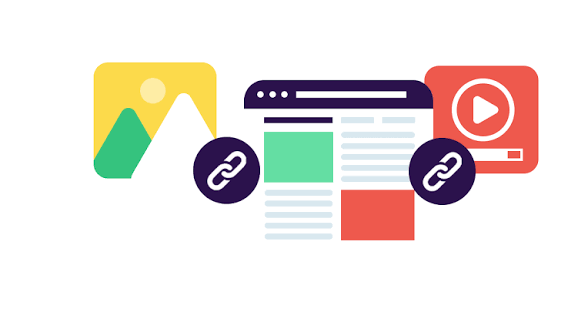
Internal links play an important role in search engine optimization. They connect related pages on a website, help visitors find useful information, and allow search engines to discover and understand website content. However, managing internal links becomes more difficult as a website grows. Pages may have too few links, important content may become difficult to find, and broken links can affect the user experience.
Free internal link analysis tools help website owners identify these problems and improve their website structure without spending money on expensive SEO software. These tools can reveal broken links, orphan pages, link distribution issues, redirect problems, and opportunities to connect related content.
In this guide, we cover the 10 best free internal link analysis tools for SEO. We explain their main features, benefits, limitations, and ideal use cases so you can choose the right tool for your website.
What Is Internal Link Analysis?
Internal link analysis is the process of examining links that connect pages within the same website. It helps SEO professionals understand how link equity flows between pages and whether important content is easy for users and search engines to discover.
For example, a website may have an informative blog post that receives organic traffic but contains no links to related articles or service pages. Internal link analysis can help identify this missed opportunity.
A proper analysis usually focuses on several areas:
- Broken internal links that lead to missing pages.
- Orphan pages that have no incoming internal links.
- Important pages that receive too few internal links.
- Redirecting internal links that create unnecessary steps.
- Pages with excessive or poorly organized links.
- Opportunities to connect relevant pages through descriptive anchor text.
Regular analysis helps maintain a clear website structure and supports better crawling, navigation, and content discovery.
10 Best Free Internal Link Analysis Tools for SEO
1. Google Search Console
Google Search Console is one of the most useful free tools for website owners who want to understand how Google discovers and indexes their content.
Its Links report includes information about internal links and shows which pages receive the most internal links according to Google’s data. This information helps you understand how your website distributes internal links across important pages.
The tool also provides indexing reports that can help you investigate whether Google has discovered and indexed specific URLs.
Key features:
Google Search Console provides internal link reports, URL inspection, indexing information, and crawl related insights.
Advantages:
It is completely free, uses Google’s own search data, and does not require a paid SEO subscription.
Limitations:
It does not provide a complete technical crawl of every internal link. It also lacks advanced features for identifying orphan pages and analyzing anchor text at scale.
Best for: Beginners, bloggers, small businesses, and website owners who want a free starting point for internal link analysis.
2. Screaming Frog SEO Spider
Screaming Frog SEO Spider is a website crawler that examines URLs, links, page titles, status codes, and other technical SEO elements.
Its free version allows users to crawl up to 500 URLs per website. During a crawl, the tool collects internal link data and identifies issues such as broken links, redirecting URLs, and pages with missing or problematic elements.
You can inspect individual URLs to see their incoming and outgoing links. This makes it easier to understand how pages connect and identify areas that need improvement.
Key features:
Internal link reports, broken link detection, redirect analysis, crawl depth information, and exportable data.
Advantages:
It provides detailed technical information and gives users significant control over website crawling.
Limitations:
The free version has a 500 URL crawl limit and does not include every feature available in the paid version. Beginners may also need time to understand the interface.
Best for: SEO professionals, technical SEO beginners, and small website owners who need detailed internal link data.
3. Ahrefs Webmaster Tools
Ahrefs Webmaster Tools provides free SEO reports for verified websites. It combines site auditing capabilities with information about backlinks and organic search performance.
Its Site Audit feature can help identify internal linking problems, including broken links, redirect issues, and pages that may be difficult to discover through the website structure.
The available data and crawl limits depend on the account and the features included in the free offering.
Key features:
Website crawling, internal link issue detection, technical SEO reports, and information about website health.
Advantages:
It combines internal link analysis with other useful SEO information, allowing website owners to investigate multiple technical issues in one place.
Limitations:
You must verify ownership of your website to access the relevant tools. Some advanced features and reporting options require a paid plan.
Best for: Website owners who want free technical SEO auditing alongside broader SEO analysis.
4. Sitebulb
Sitebulb is a website auditing tool designed to make technical SEO problems easier to understand. It analyzes website structure, internal links, crawl depth, and other factors that influence how search engines access content.
The tool presents findings through visual reports and prioritized recommendations. These features can help users understand which pages receive internal links and how effectively important content connects to the rest of the website.
Sitebulb offers a trial rather than an unrestricted free version, so its long term suitability depends on your budget.
Key features:
Internal link visualization, crawl depth analysis, website structure reports, and technical SEO recommendations.
Advantages:
Its visual presentation makes complex website structures easier to understand. It is particularly useful when auditing large or complicated websites.
Limitations:
Free access is limited to the trial period. Continued use requires a paid subscription.
Best for: SEO professionals and website owners who want detailed visual reports and structured technical audits.
5. Semrush Site Audit
Semrush Site Audit examines technical and on page SEO issues that may affect website performance in search engines.
Its internal linking checks can help identify broken internal links, pages with insufficient incoming links, and other structural issues. The audit also provides information about crawlability and redirects.
Users can review individual issues and follow recommendations to improve their website structure.
Semrush offers limited free access, but the number of pages and available reports depends on the account.
Key features:
Internal link issue detection, crawlability checks, broken link reports, redirect analysis, and website health monitoring.
Advantages:
It combines internal linking insights with a broader set of technical SEO checks. Its issue based reports can help beginners prioritize fixes.
Limitations:
Free usage is restricted, and larger websites may require a paid plan for regular or extensive audits.
Best for: Small website owners and marketers who want internal link analysis as part of a wider SEO audit.
6. Sitechecker
Sitechecker provides website auditing and SEO monitoring features that help users identify technical problems.
Its website audit functionality can reveal internal linking errors, broken URLs, redirect issues, and other problems that affect website navigation and crawling.
The interface organizes findings into reports, making it easier to review issues and track improvements over time.
Free access is limited compared with its paid plans, and the available features may vary.
Key features:
Technical website audits, internal link issue detection, broken URL identification, and SEO monitoring.
Advantages:
The dashboard presents technical issues in an accessible format. Users can investigate problems without relying entirely on raw crawl data.
Limitations:
Some reports, monitoring features, and larger website audits require a paid subscription.
Read also: 10 Free Tools to Check Your Blog’s Readability Score
Best for: Beginners and small businesses looking for a straightforward website auditing interface.
7. SEO PowerSuite Website Auditor
SEO PowerSuite Website Auditor is a desktop SEO tool that analyzes website structure, internal links, crawlability, and on page SEO factors.
It helps users examine how pages connect, identify technical issues, and evaluate the internal linking structure of a website.
The tool also supports website visualization, which can help SEO professionals understand the relationship between different pages.
SEO PowerSuite offers a free version, although some reporting, saving, and export features are restricted.
Key features:
Internal link analysis, website structure visualization, crawl depth reporting, broken link detection, and on page SEO checks.
Advantages:
Its desktop based approach provides detailed website analysis and supports investigation of complex site structures.
Limitations:
The interface may take time to learn, and some useful reporting capabilities are reserved for paid users.
Best for: Users who want a desktop SEO auditing tool with detailed internal link and website structure analysis.
8. Link Whisper
Link Whisper is a WordPress plugin designed to help website owners improve internal linking.
Unlike general website crawlers, it focuses on identifying relevant internal linking opportunities within website content. It can suggest pages to link to and help users discover posts that have few or no incoming internal links.
This makes it particularly useful for content websites that publish articles regularly and need to maintain connections between related topics.
The plugin provides limited free functionality, while more advanced features require a paid version.
Key features:
Internal link suggestions, incoming and outgoing link reports, orphan content identification, and link management features.
Advantages:
It works directly within WordPress and reduces the manual effort involved in finding relevant linking opportunities.
Limitations:
Its primary focus is WordPress content management rather than comprehensive technical website crawling. Some features require payment.
Best for: WordPress bloggers, publishers, affiliate websites, and content marketing teams.
9. Internal Link Juicer
Internal Link Juicer is a WordPress plugin that helps automate internal linking based on keywords and configured rules.
It can automatically add internal links to relevant content when specified terms appear in posts or pages. This can save time on websites with large content libraries.
However, automatic linking should be reviewed carefully. Links need to make sense within the content, and excessive keyword based linking can make articles difficult to read.
The plugin offers a free version with core functionality and paid options for additional features.
Key features:
Automated internal linking, keyword based link rules, link management, and configurable linking settings.
Advantages:
It helps WordPress website owners maintain internal links without manually editing every article.
Limitations:
It is not a replacement for a full technical SEO crawler. Poorly configured rules can create irrelevant links or excessive repetition.
Best for: WordPress websites with large article libraries that need help managing repetitive internal linking tasks.
10. SEOquake
SEOquake is a browser extension that provides SEO information while users browse websites and search results.
Although it is not a dedicated internal link auditing platform, it can help with quick page level investigations. Users can inspect page information and use available analysis features to evaluate links and other on page elements.
It is useful when reviewing individual pages, comparing website content, or conducting preliminary SEO checks without running a complete site crawl.
Key features:
Browser based SEO analysis, on page information, page diagnostics, and selected link related insights.
Advantages:
It is free to use and convenient for quick checks. Users can access useful SEO information without installing a full desktop crawler.
Limitations:
It does not provide the same comprehensive internal link reports, crawl depth analysis, or sitewide orphan page detection as dedicated crawling tools.
Best for: SEO beginners, content writers, and marketers who need quick page level analysis.
How to Choose the Best Free Internal Link Analysis Tool
The right tool depends on your website size, technical experience, and SEO goals.
For most beginners, Google Search Console is a good starting point because it provides internal link information at no cost. However, it should not be your only tool if you need a detailed technical audit.
Screaming Frog SEO Spider is a strong choice when you want to crawl your website and examine individual links, redirects, and crawl depth. Its free limit makes it practical for smaller websites.
If you manage a WordPress website, Link Whisper and Internal Link Juicer can help you identify linking opportunities and maintain connections between related articles.
For broader technical SEO reporting, Ahrefs Webmaster Tools, Semrush Site Audit, Sitebulb, and SEO PowerSuite Website Auditor offer additional auditing capabilities, although their free access varies.
Before choosing a tool, consider these factors:
Website size: Check the number of URLs you can crawl or audit without paying.
Reporting features: Look for incoming links, outgoing links, broken links, redirect information, and crawl depth.
Ease of use: Choose a tool that presents findings clearly and helps you understand how to fix problems.
Content management system: WordPress plugins may be more convenient for content management, while general crawlers are better suited to technical audits.
Export options: Downloadable reports can simplify large audits and help you track changes over time.
Best Practices for Internal Link Analysis
Using an internal link analysis tool is only the first step. You also need to interpret the findings and make appropriate improvements.
Start by identifying broken internal links and updating them to relevant, working URLs. Fix unnecessary redirects by linking directly to the final destination when possible.
Next, review pages with few or no incoming internal links. Add links from relevant pages where they genuinely help readers discover related information.
Pay attention to important pages, including service pages, category pages, and valuable informational articles. These pages should be accessible through a logical website structure.
Use descriptive anchor text that explains what readers can expect from the destination page. Avoid repeating the same keyword unnaturally across every link.
Finally, repeat your analysis after major website changes or content updates. Regular checks help you identify problems before they affect large sections of your website.
Remember that internal linking is not simply about adding more links. The goal is to create useful connections that improve navigation, support content discovery, and help search engines understand the relationship between pages.
Frequently Asked Questions
1. What is the best free internal link analysis tool for SEO?
Google Search Console is a good starting point for free internal link analysis. Screaming Frog SEO Spider is better suited to detailed crawling and technical investigations, although its free version has a 500 URL limit.
2. Can I analyze internal links without paying for SEO software?
Yes. Google Search Console provides internal link reports for free. Screaming Frog SEO Spider and several other tools also offer free versions or limited access that can help you analyze website links.
3. How do I find broken internal links?
Use a website crawler such as Screaming Frog SEO Spider to crawl your website and identify internal links that return error status codes. Review the affected pages and update or remove links that point to unavailable destinations.
4. How can I find orphan pages on my website?
An orphan page has no incoming internal links from other pages on your website. You can identify potential orphan pages by comparing a website crawl with a complete URL inventory from your sitemap, analytics platform, or content management system.
5. How often should I perform an internal link audit?
For most small websites, reviewing internal links every few months is a reasonable starting point. Larger websites that publish content frequently or make regular structural changes may benefit from monthly checks or automated monitoring.
6. Do internal links directly improve Google rankings?
Internal links help search engines discover pages, understand website structure, and identify relationships between content. They can also help distribute link equity across your website. However, internal linking alone does not guarantee higher rankings. Its value depends on relevance, content quality, technical accessibility, and other SEO factors.